
Animated Car Lights in FiveM: Effects, Triggers and Performance
Animated car lights in FiveM are cheap when they are done as a texture. The Vehicle Studio LED strips use one small runtime texture per car model, redrawn about 30 times a second, and only while a car of that model is within 60 m. This guide lists the 13 effects, what each one does, how triggers work and what the animation costs.
- 13 effects: solid, gradient, breathe, strobe, chase, comet, rainbow, wave, knight rider, police, sparkle, fire, sequential.
- Controls: 1 to 6 colours, speed 0.1 to 5, brightness 10 to 100 %, direction, phase.
- Triggers: always, headlights, brake, reverse, indicators, hazards, siren.
- Performance: one texture per model, 30 redraws a second, animated only within 60 m, and a convar to switch it off.
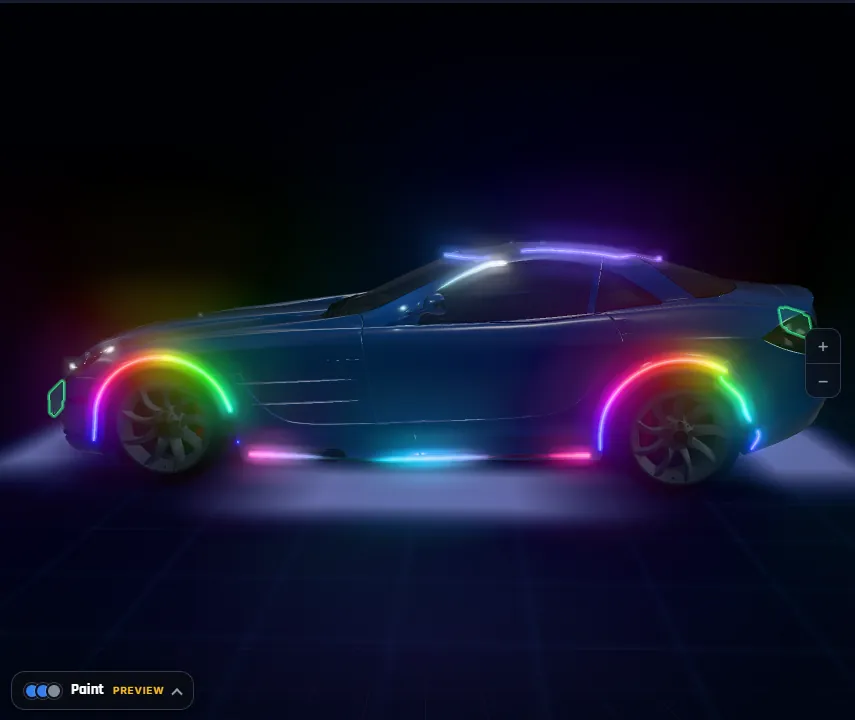
The 13 effects
| Effect | What you see | Good for |
|---|---|---|
| Solid | One steady colour | Outlines, DRL brows |
| Gradient | A static blend of your colours along the strip | Underglow, arches |
| Breathe | A slow fade in and out, about 3 s per colour | Show cars, interiors |
| Strobe | Double flash twice a second, next colour each time | Emergency looks |
| Chase | Six blocks running along the strip | Pixel strips, grille |
| Comet | A bright head with a fading tail | Window lines, arches |
| Rainbow | A hue cycle along the strip (ignores your colours) | Underglow, show cars |
| Wave | Your colours flowing with a brightness ripple | Sills, bumpers |
| Knight rider | A scanner dot sweeping back and forth | Rear light bar, grille |
| Police | Left and right halves double-flash in turn | Rear and roof bars |
| Sparkle | Random LEDs flickering on a dim base | Roof lines, star effects |
| Fire | Flickering heat from dark red to yellow | Wheel arches |
| Sequential | Fills from one end to the other, holds, then clears | Sequential indicators |
For a sequential indicator, use an amber colour, the sequential effect and an indicator trigger: the strip fills in step with that side’s blinker.
Speed, brightness, direction and phase
- Speed: 0.1 to 5, where 1 is the default tempo of the effect.
- Brightness: 10 to 100 % of the colour. Lower it for strips seen up close.
- Direction: forward, reverse, centre out or out to centre.
- Phase: 0 to 1 offset. Give a mirrored left and right strip the same phase to run in sync, or half a cycle apart to run in opposite.
All players on a client share one game clock, so two strips with the same settings stay in step.
Triggers
A trigger tells the strip when to light. With always, the strip is lit whenever the car runs. Headlights, brake, reverse, indicator left, indicator right and hazards are tied to the car’s own GTA lights, so the strip follows the car without a script. Siren lights the strip only while the car’s siren runs; the script handles that one. In the editor, the Simulate in game buttons show how each trigger will look. The mechanism behind them is in FiveM car lights explained.
Indicators blink about half a second on and half a second off in GTA, and the effect keeps running on its own clock inside the on half.
How the animation is drawn
Every strip has a row in one texture named after the car model. The still frame is baked into the model’s texture dictionary, so a strip never looks dead even when the script is not running. At run time the script creates a runtime texture, writes one row of pixels per strip, commits it about 30 times a second and swaps it in with AddReplaceTexture while a car of that model is within 60 m. When the last car leaves, the swap is removed.
The effect maths is the same in the browser preview and in the game script, so what you see in the editor is what the script draws, to the pixel colour.
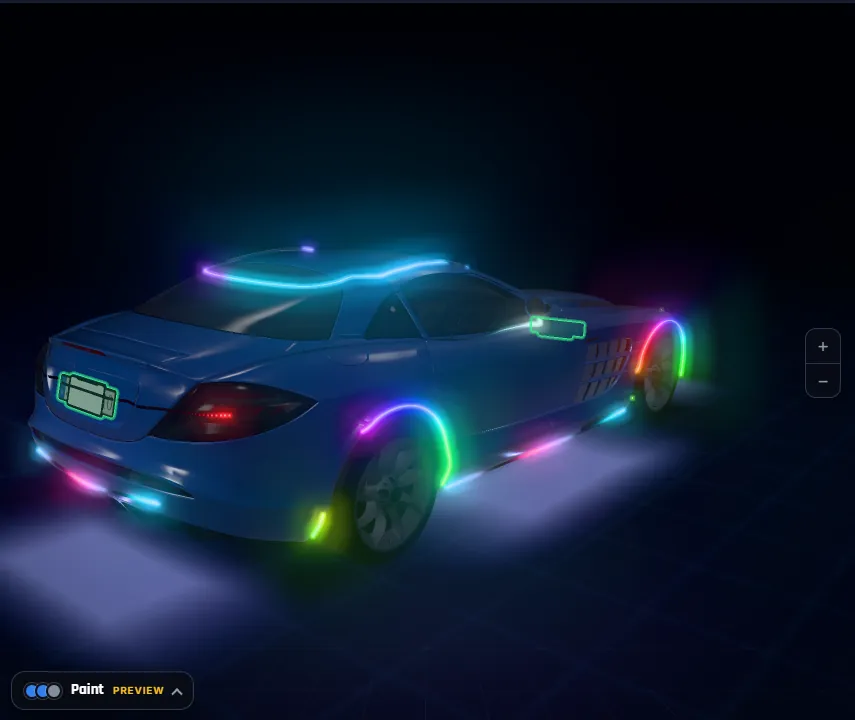
Performance and limits
- One texture per model, not per car. The texture is 64 to 512 pixels wide, with 4 rows per strip. Ten cars of the same model share one texture.
- Near only. The animation runs only while a car of the model is within 60 m. Beyond that you see the baked still frame.
- Caps. At most 16 strips and 40 m of strip per car. Pixel strips beyond 512 LEDs share texels.
- Turn it off. Put
setr fmrled_anim 0in your server config to keep still frames only. - Per model, not per car. Two cars of one model close together show the same animation frame. Each player sees the effect chosen by the car they sit in, otherwise by the nearest car of that model.
Measure on your own server: we tested in game on a sedan and a 6×6 pickup, not with a full lobby. Texture memory is a limit on every FiveM server; see FiveM oversized assets and texture memory if your server is tight.
How do I set up an animated light effect?
- Open the LED tool. Upload your car to the FiveMRides Vehicle Studio and click LED.
- Add a strip. Use a preset or draw one on the body.
- Choose the effect. Click one of the 13 effect chips; each shows a live mini preview.
- Set colours. Add 1 to 6 colour stops or pick a palette, then set speed, brightness, direction and phase.
- Pick the trigger. Use Simulate in game to check brake, reverse, indicators, hazards and siren.
- Build and test. In game, J switches the strips on and off and K goes to the next effect.
Animated car lights questions
How do I make animated lights on a FiveM car?
Use the LED tool of the FiveMRides Vehicle Studio: add a strip, pick one of 13 effects, set colours and a trigger, and build. The resource includes the client script that animates the strips.
Do animated car lights hurt FiveM performance?
The animation uses one small texture per car model, redrawn about 30 times a second and only while a car of that model is within 60 m. You can switch it off with setr fmrled_anim 0. Test on your own server, because we have not measured a full lobby.
Can I make sequential indicators in FiveM?
Yes. Use an amber colour, the sequential effect and the indicator left or indicator right trigger. The strip fills in step with that blinker.
Why do two cars of the same model show the same animation?
The animation is a texture shared by every car of that model. Each player sees the effect chosen by the car they sit in, and otherwise the effect of the nearest car of that model.
Can I change the effect in game?
Yes. K goes to the next effect for the car you are in, J switches the strips on and off and /led does the same from chat. Keys can be rebound.
What does the siren trigger do?
The strip is dark until the car’s siren runs, then it lights and animates. The client script handles this one.