
FiveM Engine Sounds & Sound Packs
Give Any Car a Real Engine Note
A FiveM engine sound pack is a small resource that streams a custom engine recording and tells the game which vehicle uses it through audioNameHash in vehicles.meta. The free Soundpack Maker builds that resource for you from 102 recorded engines - V8s, supercars, JDM turbos - so any car on your server can stop sounding like a vanilla sedan.
How Engine Audio Works in FiveM
The game never reads sound from the car model. Engine audio lives in three separate pieces, and a car only sounds custom when all three line up:
1. The audio hash in vehicles.meta
Each vehicle entry has an <audioNameHash> field. Empty means "use the vanilla engine chosen from the class". Filled with a name such as fmr_v8_muscle, it points the engine to a custom audio definition that must exist somewhere on the server.
2. The definition files (.dat151.rel and .dat54.rel)
These describe the engine: RPM curve, exhaust layers, idle, redline. Distributed as *.dat151.rel (game data) and *.dat54.rel (sound data). The name inside the file has to match the hash in vehicles.meta exactly.
3. The wavepack (.awc)
The actual recordings, packed as .awc files inside a folder that carries the pack name (for example stream/fmr_v8_muscle/). The folder name is part of the lookup - rename it and the car goes silent.
The manifest ties them together. A sound resource, or a car that ships its own audio, needs these declarations in fxmanifest.lua, in this order:
files {
    'audioconfig/fmr_v8_muscle_game.dat151.rel',
    'audioconfig/fmr_v8_muscle_sounds.dat54.rel',
    'sfx/fmr_v8_muscle/*.awc',
}

data_file 'AUDIO_GAMEDATA'  'audioconfig/fmr_v8_muscle_game.dat151.rel'
data_file 'AUDIO_SOUNDDATA' 'audioconfig/fmr_v8_muscle_sounds.dat54.rel'
data_file 'AUDIO_WAVEPACK'  'sfx/fmr_v8_muscle'
Note the last line: AUDIO_WAVEPACK points to the folder, not to a file. That single detail causes most of the silent-car tickets we see.
Why a FiveM Car Has No Engine Sound
A car that spawns fine but idles in silence, or plays the vanilla engine instead of the custom one, is almost always one of these three problems:
Missing or mismatched audio hash
audioNameHash in vehicles.meta is empty, or spelled differently from the name inside the .dat151.rel. The game falls back to the class default engine. Fix: copy the exact name from the sound pack into vehicles.meta, then restart the resource.
Wrong data_file order
AUDIO_GAMEDATA must be declared before AUDIO_SOUNDDATA, and both before AUDIO_WAVEPACK. Declared out of order, or with a missing comma in the files block, the audio loads partially and the car is mute. Fix: reorder the lines as shown above.
Wavepack folder name
The .awc files must sit in a folder named exactly like the pack, and the AUDIO_WAVEPACK line must point to that folder. A stray .awc dropped straight into stream/, or a folder renamed during a merge, loads nothing. Fix: restore the folder name and the manifest path.
Every FiveMRides car with custom audio ships it inside the resource
No separate sound download to hunt for, no second resource to ensure. When a vehicle on this site has a recorded engine, the .dat151.rel, .dat54.rel and wavepack folder are already in its ZIP with the manifest lines in the right order. If it does not sound right, bring it to Discord: repaired or replaced.
The Free Soundpack Maker
The Soundpack Maker turns the process above into a form. Pick an engine, name the pack, download a resource that is ready to ensure.
102 recorded engines
American V8s, European supercars, JDM inline-fours and sixes, turbo and naturally aspirated, diesel trucks and motorcycles. Each one is a complete definition with idle, rev, redline and exhaust layers, not a single looped clip.
Applies to any car
The tool writes the audioNameHash for you. Type the spawn names of the cars that should use the engine and the output includes the matching vehicles.meta snippet, or upload the car ZIP and it patches the meta in place.
Complete resource output
One folder containing fxmanifest.lua, the .dat151.rel and .dat54.rel definitions and the .awc wavepack in a correctly named folder. Drop it in resources/, add one ensure line, restart.
Sounds in the other Studio tools
The converter offers the same engines as a preset when you convert a GTA V mod, and the Carpack Builder keeps each car’s audio and manifest order intact when it merges a pack. All of it lives in the Studio.
Cars and Packs Sold With Custom Engine Audio
Ready-made options if you would rather not build a pack: the full 102-engine SoundPack as a standalone resource, and vehicles whose recorded engine is already wired into the ZIP.
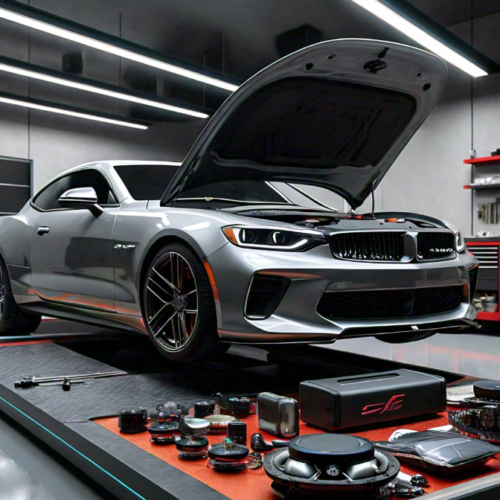
SoundPack (102 Engine Sounds)
$39.99

Mercedes Car Pack (41 Cars) + Engine Sounds
$89.99
![FORD F3FIDDY SOLO X AUDIO BUILD [Animation Audio] FiveM Car](https://fivemrides.com/wp-content/uploads/2026/06/GTA5_2024-10-26_20-25-00-500x500.webp)
FORD F3FIDDY SOLO X AUDIO BUILD [Animation Audio]
Original price was: $14.99.$11.99Current price is: $11.99.
FORD F3FIDDY SOLO X AUDIO BUILD (BULLETPROOF)
Original price was: $19.99.$14.99Current price is: $14.99.
FiveM Engine Sound Questions
How do I add a custom engine sound to a FiveM car?
Install a sound resource (the .dat151.rel, .dat54.rel and .awc wavepack with their data_file lines), then set audioNameHash in the car’s vehicles.meta to the pack name and restart both resources. The Soundpack Maker generates the resource and the vehicles.meta value for you.
Can one sound pack be used by several cars?
Yes. The pack is a server-wide audio definition; any number of vehicles can point their audioNameHash at it. A single 102-engine SoundPack resource can cover an entire dealership.
Why is my FiveM car silent after adding a sound pack?
Three causes cover nearly every case: the audioNameHash does not match the name inside the .dat151.rel, the AUDIO_GAMEDATA / AUDIO_SOUNDDATA / AUDIO_WAVEPACK lines are missing or out of order, or the wavepack folder was renamed so the AUDIO_WAVEPACK path no longer resolves.
Is the Soundpack Maker free?
Yes. Building a sound pack from the 102 recorded engines is free and does not require software on your PC; you download a finished resource folder. Credits are only used by the other Studio tools where noted.
Make Your Cars Sound Like Cars
102 recorded engines, one form, one ready resource. Free, no install.
Web-based • Works with any addon vehicle • Support on Discord