
Surge in FiveM: spawn code, top speed and engine sound
The Cheval Surge spawns with surge. Below: its handling numbers explained and ranked against the Sedans class, ready Lua spawn code, the three forms of its hash, how to use its sound on an add-on car, and its mod kit, colour and light ids.
surge
- Name in game
- Surge
- Maker (in game)
- Cheval
- Class
- Sedans (1)
- Drive
- FWD, 1 gears
- Top-gear limit
- 168 km/h, 104 mph
- Weight
- 1,800 kg
- Seats
- 4
- Added in
- Base game (2013)
Generic sedans outline, not the real model
How the Surge drives, in numbers
- Front-wheel drive: fDriveBiasFront is 1.0, so all of the drive force goes to the front wheels. It has 1 forward gears.
- Top-gear limit: about 168 km/h (104 mph), from fInitialDriveMaxFlatVel 140 x 1.2. 27 of the 48 Sedans vehicles in the game files have a higher limit; the class median is 174 km/h.
- Drive force per tonne: 0.056 (fInitialDriveForce 0.1 on 1,800 kg). That is 56% less than the Sedans median of 0.125; it is a handling index for how hard it pulls for its weight, not horsepower.
- Brakes: fBrakeForce 0.6 with 65% of the braking on the front axle (class median 0.65).
- Grip: peak traction 2.15 and sliding traction 1.85 (fTractionCurveMax / Min). The gap of 0.3 is how much grip it loses once the tyres slide; 49% of the grip sits on the front axle.
- Weight: 1,800 kg, 9% heavier than the Sedans median of 1,655 kg.
Against all 48 Sedans vehicles in the game files
| handling.meta | Surge | Sedans median | Difference |
|---|---|---|---|
| fMass | 1,800 kg | 1,655 kg | +9% |
| fInitialDriveMaxFlatVel | 140 | 145 | -3% |
| fInitialDriveForce | 0.1 | 0.234 | -57% |
| nInitialDriveGears | 1 | 5 | -80% |
| fDriveBiasFront | 1 | 0 | +1 |
| fDriveInertia | 1 | 1 | same |
| fInitialDragCoeff | 8.3 | 8 | +4% |
| fBrakeForce | 0.6 | 0.65 | -8% |
| fBrakeBiasFront | 0.65 | 0.46 | +43% |
| fHandBrakeForce | 0.8 | 0.6 | +33% |
| fSteeringLock | 40° | 40° | same |
| fTractionCurveMax | 2.15 | 2.16 | about the same |
| fTractionCurveMin | 1.85 | 1.85 | same |
| fTractionCurveLateral | 21.5° | 22.5° | -4% |
| fTractionBiasFront | 0.485 | 0.485 | same |
| fLowSpeedTractionLossMult | 1 | 1 | same |
| fSuspensionForce | 2.1 | 2 | +5% |
| fSuspensionRaise | 0.01 | 0 | +0.01 |
| fAntiRollBarForce | 0.7 | 0.65 | +8% |
| fDeformationDamageMult | 0.7 | 0.7 | same |
| AIHandling | AVERAGE | handlingName SURGE, sub handling CCarHandlingData | |
Spawn the Surge in FiveM
Client script (spawns it where the player stands and seats them in it):
local model = `surge` -- 0x8F0E3594
RequestModel(model)
while not HasModelLoaded(model) do Wait(0) end
local ped = PlayerPedId()
local pos = GetEntityCoords(ped)
local veh = CreateVehicle(model, pos.x, pos.y, pos.z, GetEntityHeading(ped), true, false)
SetPedIntoVehicle(ped, veh, -1)
SetModelAsNoLongerNeeded(model)
Server script (OneSync, the server owns the entity; admin only through the ACE restriction):
RegisterCommand('spawnsurge', function(source)
    local ped = GetPlayerPed(source)
    local pos = GetEntityCoords(ped)
    local veh = CreateVehicleServerSetter(`surge`, 'automobile', pos.x, pos.y, pos.z, GetEntityHeading(ped))
    while not DoesEntityExist(veh) do Wait(0) end
    SetPedIntoVehicle(ped, veh, -1)
end, true)- vMenu: Vehicle Spawner, then Spawn Vehicle By Model Name, type
surge. - txAdmin: in-game menu, Spawn Vehicle, type
surge. - QBCore / ESX:
/car surgefor admins. - The second argument of
CreateVehicleServerSetteris the vehicle type; for the Surge it isautomobile. A wrong type makes the server entity fail.
An add-on car that does not appear is a different problem (stream folder, data_file lines, model name): see FiveM car not spawning. All vanilla codes in one table: FiveM spawn codes list.
Hashes
| Form | Value | Where you meet it |
|---|---|---|
| Hex | 0x8F0E3594 | CodeWalker, meta files, ymap entities |
| Unsigned | 2400073108 | C#, JavaScript, databases that store unsigned |
| Signed (int32) | -1894894188 | Lua GetEntityModel results, garage scripts that save the model as an int |
All three are the same number: the joaat (Jenkins one-at-a-time) hash of the lower case name, which is what GetHashKey('surge') and the Lua backtick form `surge` return.
Use the Surge engine sound on your car
The game has a car audio object named after this model, so one line in the vehicles.meta of an add-on car makes it use the Surge sound set:
<audioNameHash>surge</audioNameHash>- Engine audio type: electric motor. Motor whine and no combustion sound.
- In our engine sound catalogue it is listed in the Electric family.
- The audio object is the whole vehicle sound: engine, horn, doors and radio genre change together. How it sounds on your car also depends on that car's gears and top speed.
Want a recorded engine instead of a GTA one? FiveM engine sounds lists 102 packs and the Soundpack Maker builds the resource.
Mod kit, colours and lights
- Mod kit id 26: 4 visible parts.
- 12 factory colour combinations in carvariations.meta.
- carvariations
lightSettings0: the headlight and taillight preset it reads from carcols. sirenSettings0 (no siren lights).- Plates: rear only.
- Stock wheel category at the mod shop: Sport.
- Seat layout
LAYOUT_STANDARD, 4 seats.
Visible mod parts by slot
- spoiler 1
- skirt 1
- bumper_f 1
- bumper_r 1
vehicles.meta flags
In plain words: appears as everyday traffic; electric.
All 3 flags
- FLAG_AVERAGE_CAR
- FLAG_IS_ELECTRIC
- FLAG_HAS_INTERIOR_EXTRAS
Make an add-on car feel like the Surge
FiveMRides Vehicle Studio edits add-on car files in your browser (debadge, lights, seats, rims, tint, stance, exhaust, wraps and more) and gives you back a FiveM resource. Pair it with the sound line above to make your own car feel like this one. Your files, our tools; we never ship Rockstar models.
FiveMRides add-ons like this
Ready add-on cars from our shop for the same kind of vehicle. They install next to the vanilla Surge, they do not replace it.
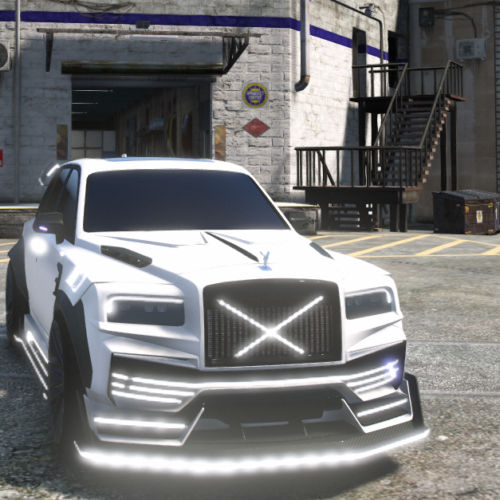 Rolls-Royce Cullinan WC (BULLETPROOF) Original price was: $19.99.$14.99Current price is: $14.99.
 Rolls Royce Cullinan LDR Project Original price was: $12.00.$9.99Current price is: $9.99.
 Rolls Royce Phantom 8 Limo Original price was: $14.99.$11.99Current price is: $11.99.
Questions
What is the spawn code for the Surge in GTA 5 and FiveM?
The spawn code (model name) is surge. Its joaat hash is 0x8F0E3594 (2400073108 as an unsigned number). Admin menus such as vMenu, txAdmin and the /car command of QBCore or ESX take the model name as it is.
How fast is the Surge in GTA 5?
Its handling gives a top-gear limit of about 168 km/h (104 mph): fInitialDriveMaxFlatVel 140 x 1.2, the value GetVehicleModelEstimatedMaxSpeed returns for ordinary handling values. Drag and upgrades change what a driver sees. It is FWD with 1 gears and weighs 1,800 kg.
Can I give an add-on car the Surge engine sound?
Yes. Put <audioNameHash>surge</audioNameHash> in the add-on car's vehicles.meta. The game then uses the Surge audio object, which is the whole vehicle sound: engine, horn, doors and radio genre change together.