
FiveM Flags as Vehicle Extras or Tuning Options
You can give FiveM players flags they control: as a vehicle extra they switch on and off, or as tuning options in the mod shop where they pick their country from up to 8 flags. The Flags add-on of the FiveMRides Vehicle Studio builds both into the car files, with a small script for the /flags command and the option names. Price: 1 credit per car, whatever the number of flags.
- Vehicle extra: pick an extra number from 1 to 12. Players switch it with any vehicle extras menu or with
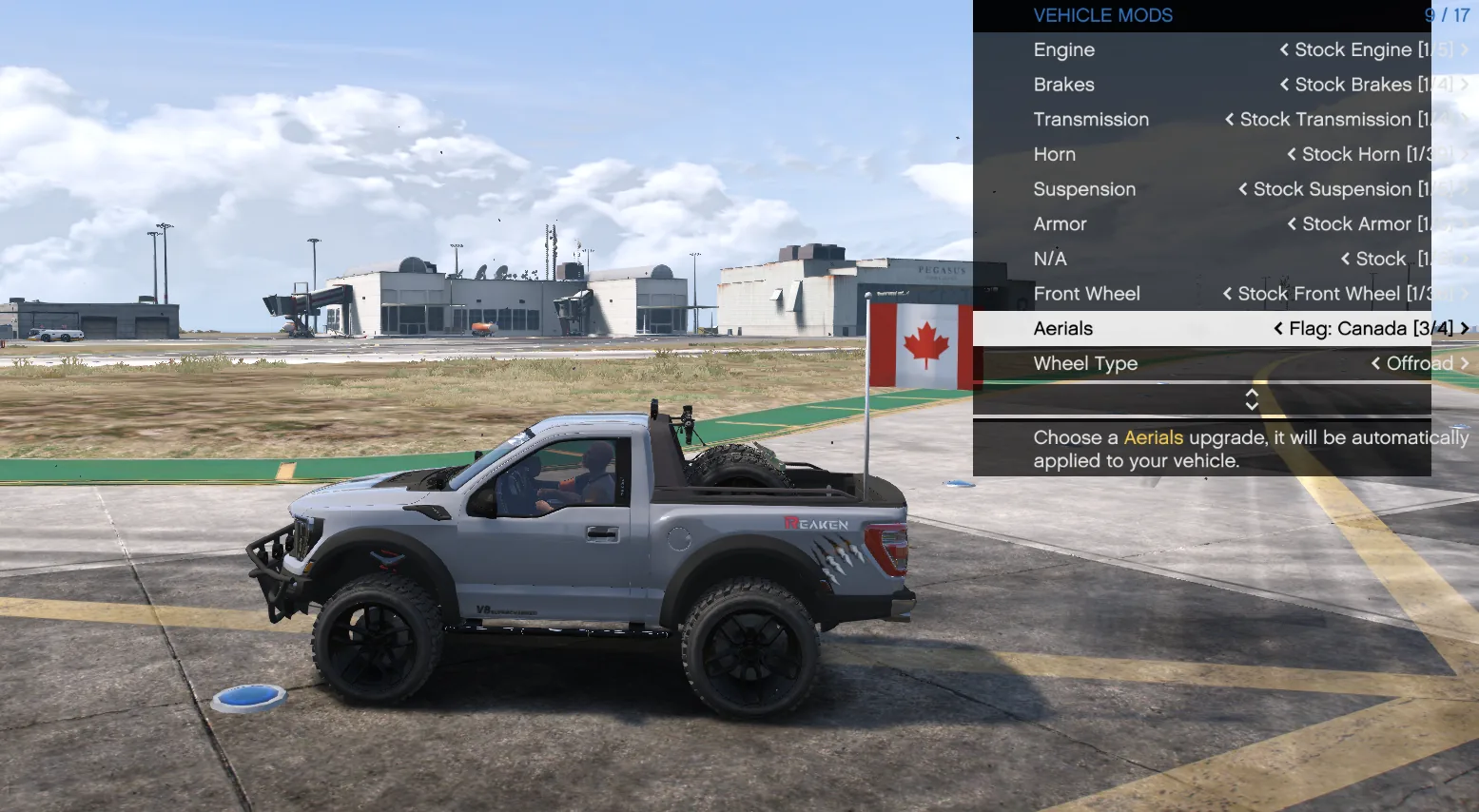
/flags on,/flags offor/flags(toggle). - Tuning options: up to 8 flags of one placement become options of one tuning slot. In the mod shop they read “Flag: Canada”, “Flag: Mexico” and so on.
- Motion: flags offered as extras or tuning options are always fixed (a GTA limit). Always-on flags can wave.
- Checked: the
/flagsswitch and a 3 country tuning slot were seen working in game on our test server on November 9 2026.
Extra or tuning option: which one?
| Always on | Vehicle extra | Tuning options | |
|---|---|---|---|
| Who decides | You, at build time | The driver, any time | The driver, in the mod shop |
| Choice | One look | Flags on or off | Up to 8 flags, one at a time, or none |
| Motion | Waving or fixed | Always fixed | Always fixed |
| Window clip | Yes | No (it follows the door) | Yes |
| Good for | Parade cars, state cars, show builds | Event cars, police or fleet cars that sometimes fly a flag | Public servers where every player wants their own country |
How do flag extras work?
GTA cars can carry up to 12 extras, numbered parts that a menu or a script turns on and off. The Studio puts a flag set on the extra number you choose. At spawn the extra is on. Players then use the vehicle extras menu your server already has, or the /flags command that comes with the resource: /flags off hides the flags of the car they drive, /flags on shows them, /flags alone toggles.
An extra number cannot be shared with another Studio part. If the car or another add-on (an overland light bar, a police laptop) already uses that number, the Studio greys it out and the server refuses it, so two parts never fight over one extra. A window clip flag cannot be an extra, because extras do not follow an opening door. More on extras and car variations: GTA 5 per vehicle vs per model.
How do flag tuning options work?
A tuning slot is a row of the mod shop menu, like spoilers or bumpers. The Studio makes each flag of the set a separate option of one slot, with the name “Flag: country”. The driver scrolls through them like any other part, and choosing stock removes the flag. On our test pickup the three countries showed in the Aerials slot of the vehicle mods menu, each one on the bed pole.
A slot holds up to 8 flags, so you can offer, say, the countries of your community, or your server flag next to a few countries. The car gets its own modkit number for these options, so they do not clash with the car’s existing tuning parts. On a server with many add-on cars, two cars can in rare cases use the same modkit number: if the flag options show as N/A in the mod shop, contact our support. Flag tuning options are always fixed (a GTA limit).
How do I add flags as tuning options?
- Upload the car. Open the Vehicle Studio and upload one vehicle you have the right to modify.
- Add a flag item. In Flags pick the placement, for example a bed pole or a wing pair.
- Turn on tuning. Choose Tuning options instead of Always on, then add up to 8 flags: countries, your own images or a mix.
- Or choose an extra. For an on and off switch, choose Vehicle extra and a free number from 1 to 12.
- Build and test. Build, install the resource, restart the server, then open the mod shop or type /flags off in game to check.
Limits
- Flags offered as extras or tuning options are always fixed (a GTA limit); only always-on flags wave.
- One placement per tuning slot, 8 flags at most. Several slots can carry several flag sets.
- The slot name shown in the mod shop depends on the menu your server uses.
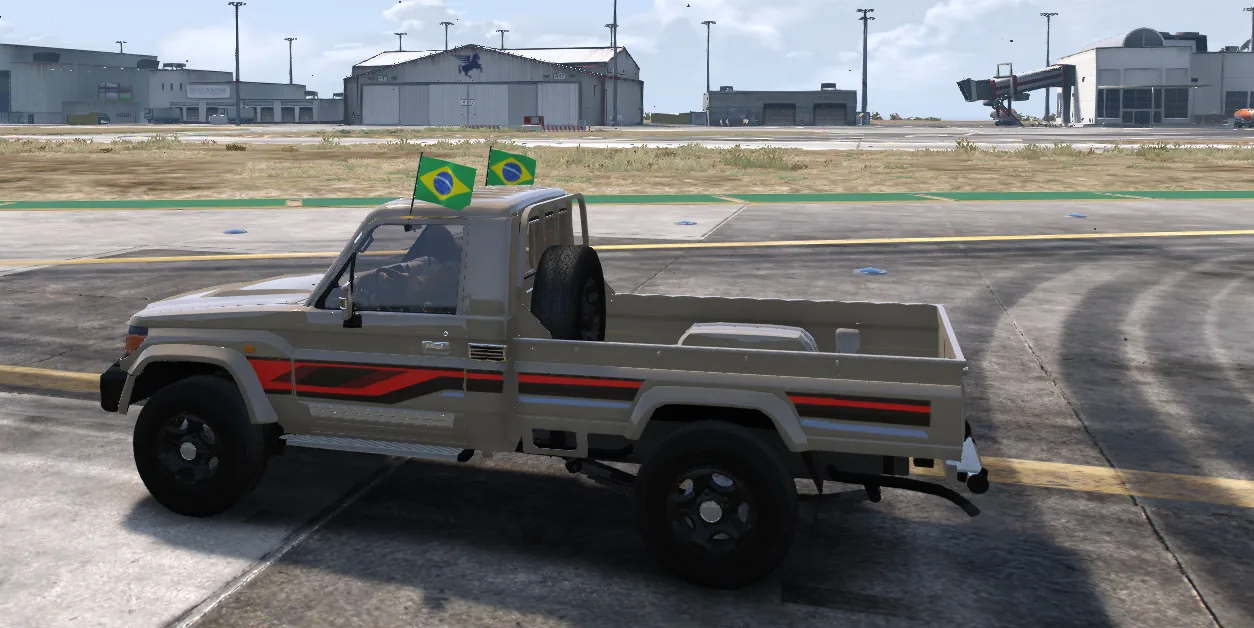
- Seen in game on our test server (GTA V Legacy) with one pickup and a 3 country slot, and a sedan and an off-road pickup with the /flags switch.
Extras and tuning questions
How do I turn the flags off on a FiveM car?
If the flags were built as a vehicle extra, type /flags off in game or use any vehicle extras menu. Always-on flags cannot be turned off.
Can players choose their country in LS Customs?
Yes, with tuning options: up to 8 flags of one placement become options of one slot, named Flag: country, in any mod shop menu that lists the car’s tuning parts.
Which extra number should I use?
Any free number from 1 to 12. The Studio greys out numbers already used by the car or by another add-on.
Why can a window flag not be an extra?
Extras do not follow an opening door, so the flag would float when the door opens. Window flags can still be always on or tuning options.
Do flags as extras wave?
No. GTA does not let a waving cloth flag be switched as an extra or a tuning part, so those flags are always fixed. Always-on flags can wave.
Does the /flags command need another resource?
No. The small script with the /flags command and the option names is included in the car resource the Studio builds.