
FiveM Custom Flag on a Car: Gang, Crew or Server Logo
To put a custom flag on a FiveM car, such as your gang colours, your crew logo or your server’s logo, upload the picture in the Flags add-on of the FiveMRides Vehicle Studio, or describe the flag and let AI draw it. The Studio fits the picture to the flag, shows it on the car in 3D and builds it into the car files, waving by default. Price: 1 credit per car, whatever the number of flags; an AI picture: 5 credits per picture.
- Your picture: PNG, JPG, WebP or GIF (first frame), up to 10 MB and 4096 px, any shape.
- Fit: crop to fill the 4:3 flag, or fit the whole picture on a background colour you choose. The 3D preview shows exactly what will be built.
- AI flag: one sentence, flat flag artwork, 5 credits per picture. Refused or failed pictures are not charged.
- On the car: any of the five placements, waving or fixed, always on, as an extra or as a tuning option next to country flags.
- Scope: flags on vehicles. Pocket flags and flags worn by players are clothing, a different thing.
How do I use my own image as a flag?
In Flags, choose a placement, then Upload instead of a country. Any picture works: the server checks the file, removes its hidden data and turns it into a clean PNG. A flag is 4:3, so a square logo or a wide banner does not fill it as is. The Studio then offers two choices:
- Crop to fill: the picture covers the whole flag and the edges that do not fit are cut. Best for photos and full designs.
- Fit with a background: the whole picture stays visible, centred on a colour you pick. Best for logos and crests. Transparent areas take that colour too.
Press Use this fit and the server makes the final 1024 x 768 flag picture. The build receives exactly that picture, so what you see in the 3D preview is what goes on the car.
What makes a good gang or crew flag?
- Big shapes, few colours. A wing flag is 20 to 36 cm wide in game. Thin lines and small text disappear at a few metres.
- Keep the important part in the middle. The edge next to the staff and the free edge move the most on a waving flag.
- Strong contrast. Gold on black or white on a dark colour reads from far away; two mid tones next to each other do not.
- Remember the back. From the right side of the car you see the back of the cloth, so text reads in reverse there, like on a real flag. A symbol without text avoids that.
How does the AI flag work?
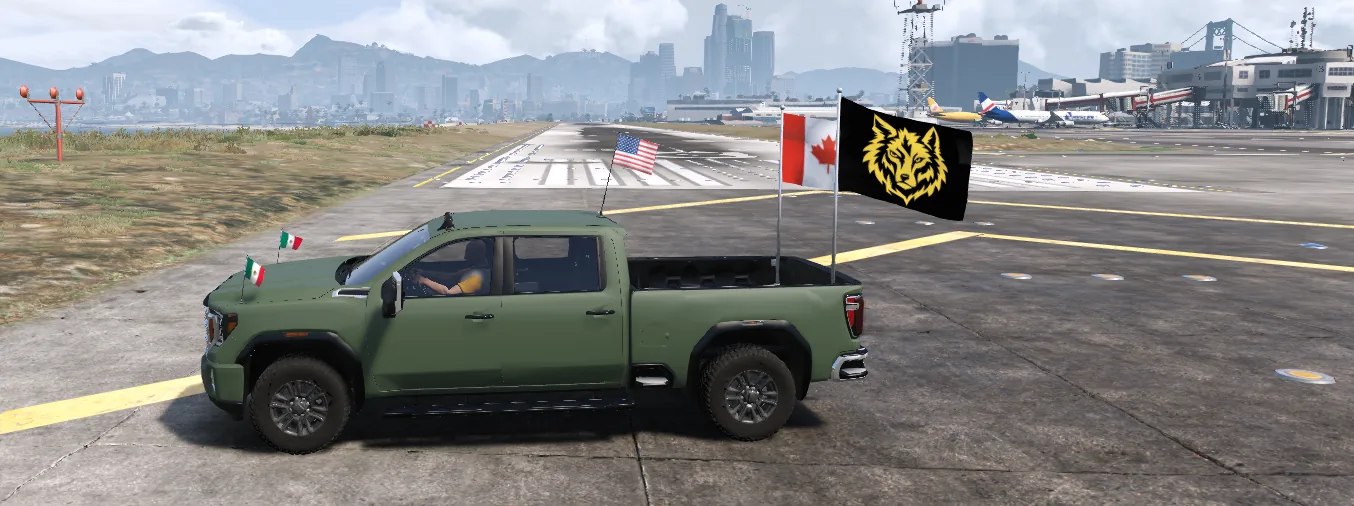
Write one sentence, for example “a golden wolf head on a black background”. The Studio asks for flat flag artwork: no pole, no folds, the main shapes in the middle, then crops the result to 4:3 and stores it like an uploaded picture. You see it on the car straight away and can keep it, fit it again or try another prompt.
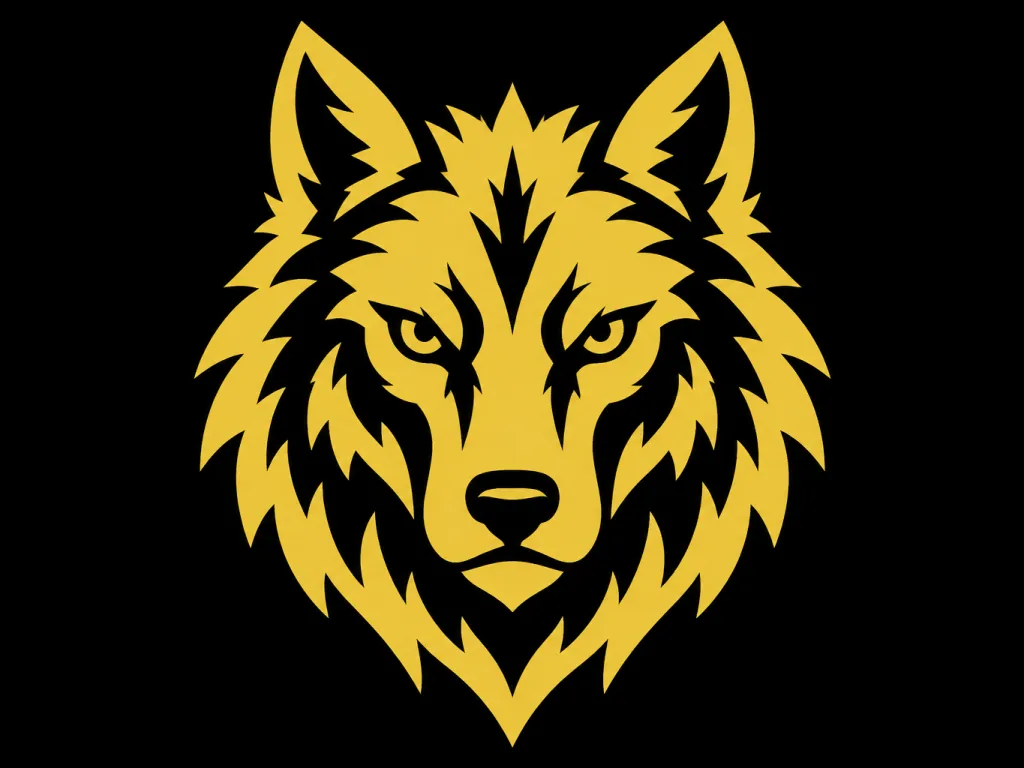
Price: 5 credits per picture, taken only once the picture exists. Some requests are refused before anything is drawn: real country flags (pick them from the catalogue instead, it is more accurate), brands and logos of real companies or teams, military or police emblems, political party or movement symbols, extremist or hate symbols, and real people. A refused or failed picture is not charged. The flag price of the car is separate from the AI picture.
Can my whole server use the same flag?
Yes, on the cars you build with it. Each car is built on its own, so a server flag goes on every car you run through the Studio. To let players pick between your server flag and country flags, offer them as tuning options of one slot (up to 8): see flags as extras or tuning options. Saved projects help to repeat the same setup: save a project and share a link.
How do I put my crew logo on a car flag?
- Upload the car. Open the Vehicle Studio and upload one vehicle you have the right to modify.
- Add a flag. Open Flags and pick a placement, for example a roof mast or a bed pole for a big flag.
- Upload your logo. Choose Upload or Generate with AI, then crop to fill or fit on a background colour and press Use this fit.
- Check it in 3D. Turn around the car, look at the size and the colours, and choose Waving or Fixed.
- Build and install. Build, add the resource to your server and look at the flag in game once.
Limits
- Use only pictures you own or have the right to use. A flag does not give you any rights to a logo.
- Small text and thin lines are hard to read on a small flag in game.
- Text reads in reverse from the right side of the car.
- Seen in game on our test server with a custom checkered flag image and an AI wolf flag on November 9 2026.
Custom flag questions
Can I put my gang flag on a car in FiveM?
Yes. Upload the picture in the Flags add-on of the FiveMRides Vehicle Studio, fit it to the flag, and it is built into the car, waving by default.
What image size do I need?
Any size up to 10 MB and 4096 px works. The flag is made at 1024 x 768, so a picture of at least that size looks best.
My logo is square, will it be stretched?
No. Choose Crop to fill or Fit with a background colour; the picture keeps its proportions.
How much does an AI flag cost?
5 credits per picture, taken only when the picture is made. A refused or failed request is not charged.
Why was my AI flag refused?
Real country flags, real brands or team logos, military or police emblems, political or hate symbols and real people are refused. Pick a real country flag from the catalogue instead.
Is this the same as a pocket flag?
No. Pocket flags and neck flags are clothing worn by players. This add-on puts flags on vehicles.
Can a custom flag be a tuning option?
Yes. Custom and country flags can share one tuning slot, up to 8 flags.