
How to Debadge a FiveM Car: Badges, Logos and Decals
To debadge a FiveM car you take every manufacturer mark out of its files: the badge meshes in the .yft model (every layer, not just the chrome on top), the logos painted into its .ytd textures, the decals printed in the glass, and the brand name in its metas. In the FiveMRides Vehicle Studio you upload the car, click each badge on the 3D model and download one ready-to-stream resource. It costs 2 credits per car, charged only after the build passes its checks.
- Tool: the FiveMRides Vehicle Studio, in your browser. Nothing to install; upload, analysis and the 3D preview are free with an account.
- Price: 2 credits per vehicle, or covered by an eligible Studio plan. A build that fails its checks is not charged. Lights, seats, rims or film without debadging carry no debadge charge.
- What goes: modelled badges and lettering (the whole stack, on every detail level), logos painted in seat, rim, screen and body textures, decals printed in the windows.
- What you need: an unlocked car you have the right to modify. Escrowed (
.fxap) resources cannot be opened. - Rather buy one? Our debadged FiveM cars are already done and optimized.
Where does a badge live in a FiveM car?
A badge is rarely one object. On the cars we have debadged, the same logo can sit in up to five places, and each one needs a different fix. This is why a car can look clean in a 3D viewer and still show a logo in game.
| Where | What it looks like in the files | How it is removed |
|---|---|---|
| Badge mesh | A small separate piece of geometry on the body: grille emblem, boot lettering, wing badge | The piece is deleted on every detail level of the model |
| Badge stack | Several pieces on top of each other: chrome letters, a backing plate, a flat decal under them | Every layer of the stack is found and removed together, so nothing is left behind the letters |
| Painted logo | Drawn in a texture: seat embroidery, the centre cap inside a rim texture, a dashboard screen, a body decal | The logo area of the texture is erased or repainted, or replaced with your own PNG |
| Glass decal | A sticker printed in the window texture | The glass tint is repainted over it, the window keeps its tint |
| Name in the metas | vehicleMakeName and gameName in vehicles.meta still point to the real brand | By hand: new label keys and their text with AddTextEntry. The debadge step works on the model and textures, so check these yourself |
A logo modelled into a large body panel as one surface (not a separate piece) cannot be clicked away without cutting the panel. The Studio refuses those pieces instead of damaging the car, and tells you.
Why do badges come back after debadging?
The most common reason is the stack. When we first shipped click to remove, a customer opened a debadged car in OpenIV and still saw letters: each clicked piece had been deleted, but the backing plate and the flat decal under it were separate pieces and had stayed. The Studio now captures the whole stack from one click (pieces that overlap, sit within a few centimetres and have a similar footprint), and never captures the painted body panel behind the badge.
The second reason is the detail levels. A GTA car holds up to five versions of its body (from very high to very low detail) plus a close-up _hi.yft file. In our own early tests a badge removed from the top level only came back in game at normal distance, because the game was drawing a lower level. The Studio removes a clicked badge from every level. If you debadge by hand, check each level in CodeWalker, not only the one your 3D editor shows first.
The other reasons are a logo painted in a texture you did not touch (look at the seats, the steering wheel, the rims and the screens), a decal in the glass, and the relief left in the normal map: erase a painted badge but keep its normal map and a pale ghost of the logo still catches the light.
Manual debadge or Vehicle Studio?
| By hand | Vehicle Studio | |
|---|---|---|
| Software | A GTA file editor to unpack, a 3D editor with a GTA import add-on, an image editor | A browser |
| Badge meshes | Find each piece in the model, delete it on every detail level, check every layer of the stack | Hover, click, the stack goes with it on every level |
| Painted logos | Export the texture, paint over the logo, flatten its normal map, compress it back in the right format | Click the logo on the 3D car: erased or replaced, recompressed in its original format |
| Interior | Hide the body to reach the cabin | Interior view, open parts, free camera |
| Result | Repack the resource and test | One resource to stream, checked before you are charged |
| Cost | Your time, and paid software for some editors | 2 credits per car |
How do I debadge a FiveM car step by step?
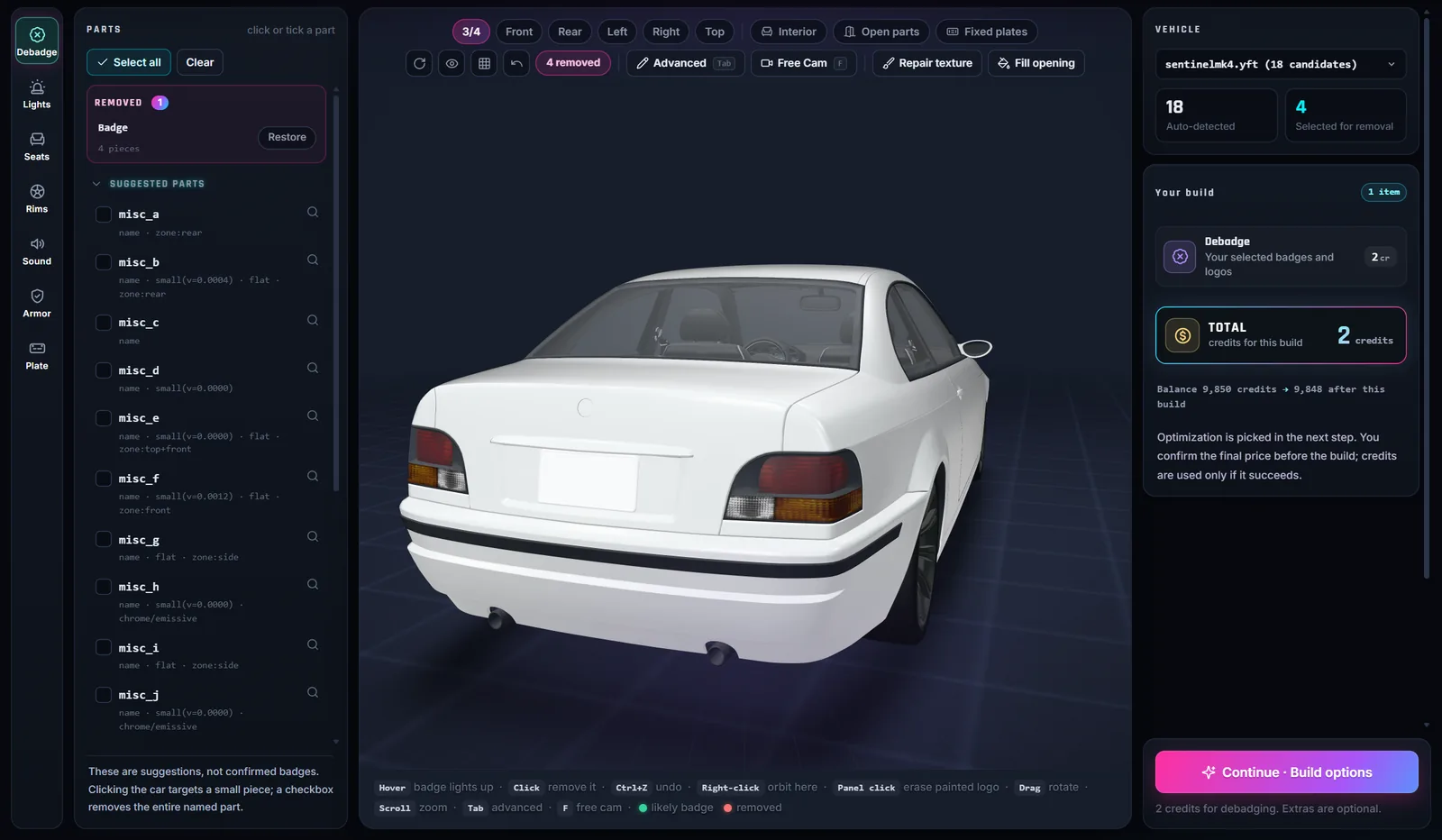
- Upload the car. Open the Vehicle Studio, sign in and upload one unlocked vehicle resource (a .zip of the car folder). The 3D model opens in your browser and suggested badge parts are listed on the left.
- Click the outside badges. Hover the car: the badge under the pointer lights up. Click it and it disappears, with its whole stack. Each click adds a line to the Removed panel; Restore or Ctrl+Z puts it back.
- Go inside. Press Interior, right click a spot to orbit around it, and click the logos on the steering wheel, the seats and the screens. Open parts opens the doors, hood and trunk for the badges behind them.
- Clean the painted logos. Click a logo painted in a texture to erase it, or replace it with your own PNG. Decals printed in the windows are listed under Already on this car in the Windshield banner tool.
- Build and install. Check the total in Your build, continue to the build options, then download one resource, add it to your server and restart it. Credits are taken only after the build passes its checks.
Can I put a fictional badge on instead?
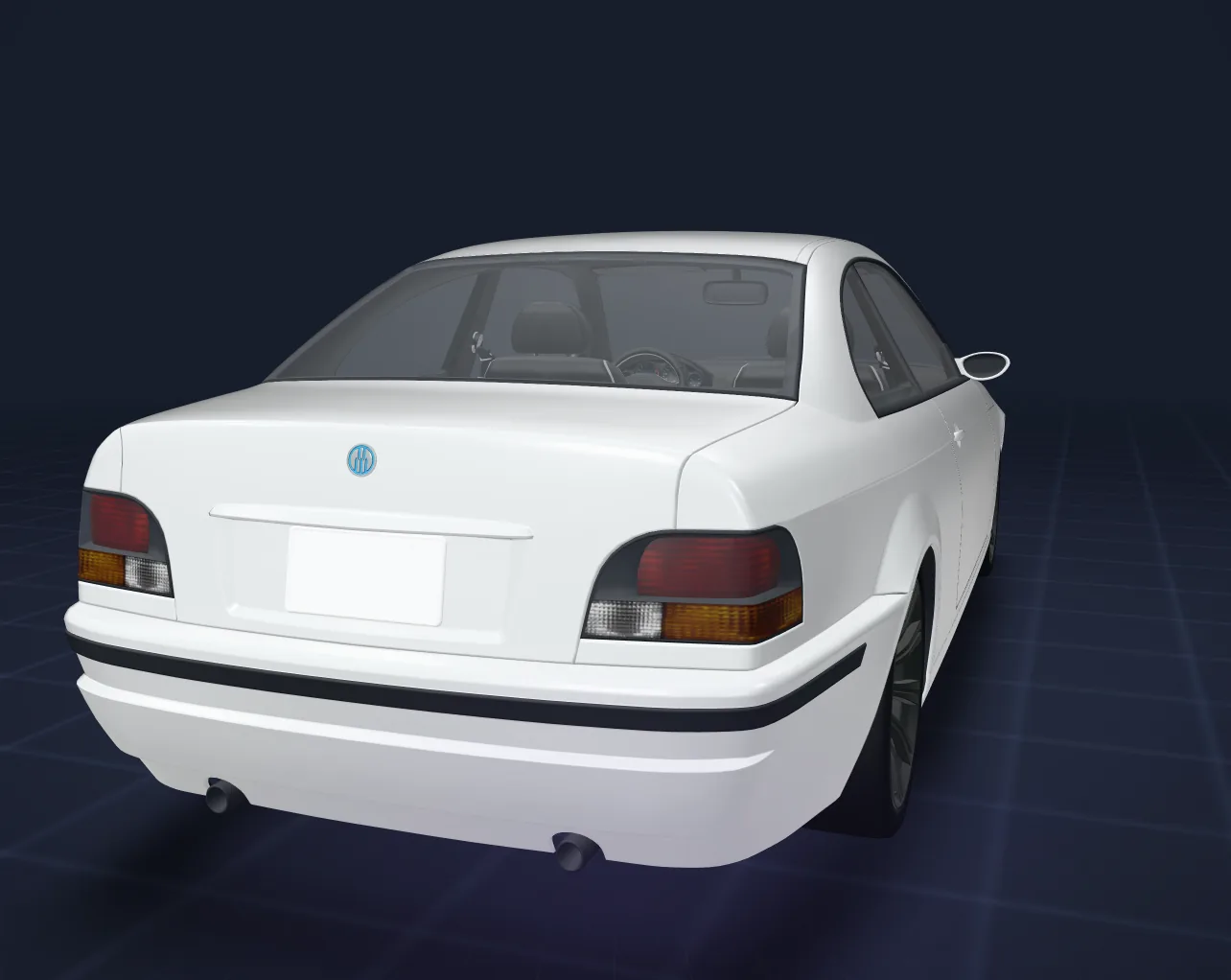
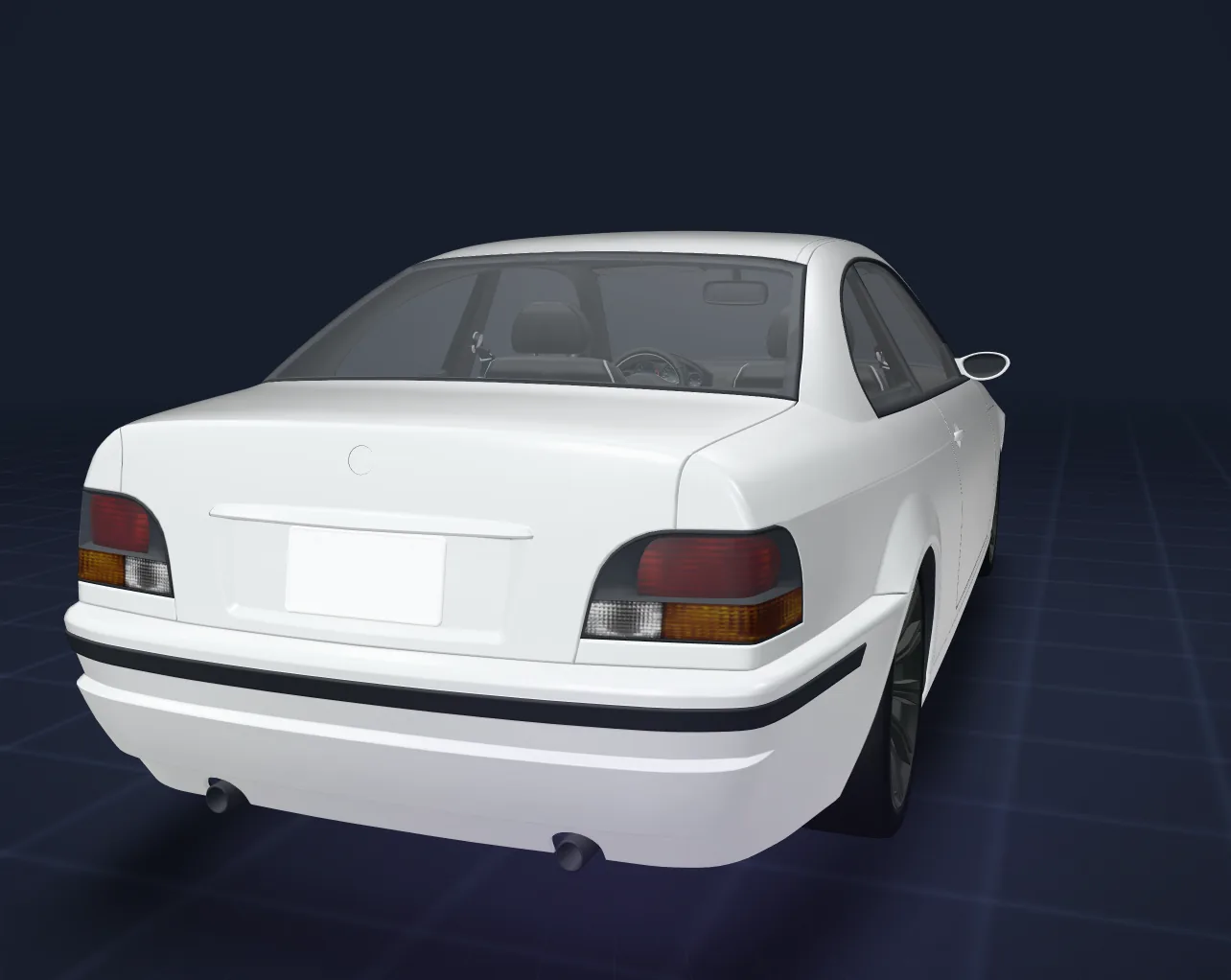
Yes. The Studio’s Badges tool has a library of 218 badges from the game’s own fictional brands (54 makes), in relief or flat versions, that you place on the car where the real badge was. It costs 1 credit per car, any number of badges. In game on our test car all nine placed badges were visible, in colour, readable and flush on the body. Night lighting, open doors and crashes are not checked yet.
In the same build you can also add lights, seats, rims or a window film: one order and one resource.
Debadging removes logos and badges from the files. It does not give you any rights to the car’s design or to the brand behind it, and we make no claim that a debadged car is allowed anywhere. Server owners follow Cfx.re’s rules and the platform terms for their own server, and communities often add their own rules: read them before you stream a car. If you want a car with no link to a real model at all, a lore-friendly car is the cleaner choice: see debadged vs lore-friendly cars.
Limits
- One vehicle per upload. Packs are debadged one car at a time.
- Escrowed (
.fxap) resources cannot be opened. - A logo that is part of a large body panel is refused rather than cut out of the panel.
- Automatic detection is a starting point, not a complete list: check wheel centres, steering wheel, door sills and screens yourself.
- A texture repaint rebuilds the area from its surroundings: on a busy pattern (carbon weave, stitching) a soft patch can be visible up close.
- The model in the 3D preview is the same file that is built, but always check the car in game once, front, rear and inside.
Debadge questions
What does debadged mean for a FiveM car?
The manufacturer badges, logos and brand text are taken out of the car files, so the car shows no brand marks in game.
How much does it cost to debadge a car?
2 credits per car in the FiveMRides Vehicle Studio, charged only after the build passes its checks, or covered by an eligible Studio plan. A failed build is not charged.
Do I need ZModeler, OpenIV or Blender?
Not with the Vehicle Studio: it runs in the browser. By hand you need a GTA file editor, a 3D editor with a GTA import add-on and an image editor.
Why can I still see a logo after debadging?
Usually a layer of the badge stack, a lower detail level of the model that still has the badge, a logo painted in a texture (seats, rims, screens), its relief left in the normal map, or a decal in the glass. The Studio removes the whole stack on every level and has tools for the others.
Can it remove logos on the steering wheel and seats?
Yes. Use the Interior view: modelled logos are removed like outside badges, painted ones are erased or replaced in the texture.
Does debadging change the handling or the sound?
No. Only the badges and logos change. Sound and handling are separate options in the same build.
Can I debadge an escrow or encrypted car?
No. Escrowed (.fxap) resources are encrypted and cannot be opened by the Studio.
Is a debadged car allowed on any server?
Debadging removes logos; it gives no rights to the design or the brand, and we make no claim that it is allowed. Server owners follow Cfx.re’s rules, the platform terms and their community’s rules. A lore-friendly car avoids the question.