
What Is a YFT, YDR, YDD or YTD File in FiveM?
A .yft file is a GTA V fragment model: a model with a skeleton, breakable parts and physics, used for every vehicle. A .ydr is a drawable: one static model, used for props. A .ydd is a dictionary of drawables, used for ped clothing, and a .ytd holds the textures they are painted with. In FiveM they all go in a resource’s stream folder and are sent to players automatically; the meta files next to them decide how the game uses them.
- YFT: vehicles (and breakable objects). Bones, doors, wheels, glass, collision, several detail levels, plus a close-up
_hi.yft. - YDR: one static model with its detail levels. Props, and the parts other files point to.
- YDD: several drawables in one file. Ped clothing and body parts.
- YTD: a texture dictionary. Each texture must stay under 16 MiB on FiveM Legacy. More in the YTD file guide.
- Open them with: CodeWalker (free, reads what the game reads), OpenIV, or Blender with a GTA import add-on.
GTA 5 streamed file types at a glance
| Extension | What it holds | Typical use in FiveM | Watch out for |
|---|---|---|---|
.yft | Fragment: model, skeleton (bones), breakable parts, physics bounds, glass break data, detail levels, sometimes its own textures | Add-on cars, bikes, boats, aircraft | The file name must equal modelName in vehicles.meta |
_hi.yft | The high detail version of the same vehicle | Drawn when the camera is close | Edit it together with the base file, or close-ups and distance views differ |
.ydr | Drawable: one static model, its shaders and detail levels, optional embedded collision | Props, map pieces | An add-on prop also needs an archetype in a .ytyp |
.ydd | Drawable dictionary: several drawables in one file | Ped clothing, heads and hair | Works with the ped’s .ymt metadata and one .ytd per texture variation |
.ytd | Texture dictionary: compressed textures with their mipmaps | Paint, interior, liveries, prop and map textures | 16 MiB per texture on Legacy; texture names are referenced by the model |
.ybn | Static collision (bounds) | Maps and MLOs | Missing or misplaced = you fall through the floor |
.ytyp | Archetype definitions: model name, texture dictionary, draw distance, flags | Props, maps, MLO interiors | Loaded with data_file 'DLC_ITYP_REQUEST' |
.ymap | Placement: which archetypes go where in the world | Maps and MLOs | Its streaming extents must contain its objects |
.ycd, .awc | Animation clips; audio waves | Animations, engine and siren sounds | Audio also needs its .rel data files declared |
What is inside a YFT file?
A vehicle .yft is more than a mesh. It carries the skeleton (one bone per door, wheel, light, siren, seat and so on), the parts that can break off, the physics shapes the game uses for collisions and bullets, the data that decides how each window shatters, and up to five levels of detail, from very high to very low. Some cars also pack small textures inside the model itself, which is why a car can show a texture you cannot find in its .ytd.
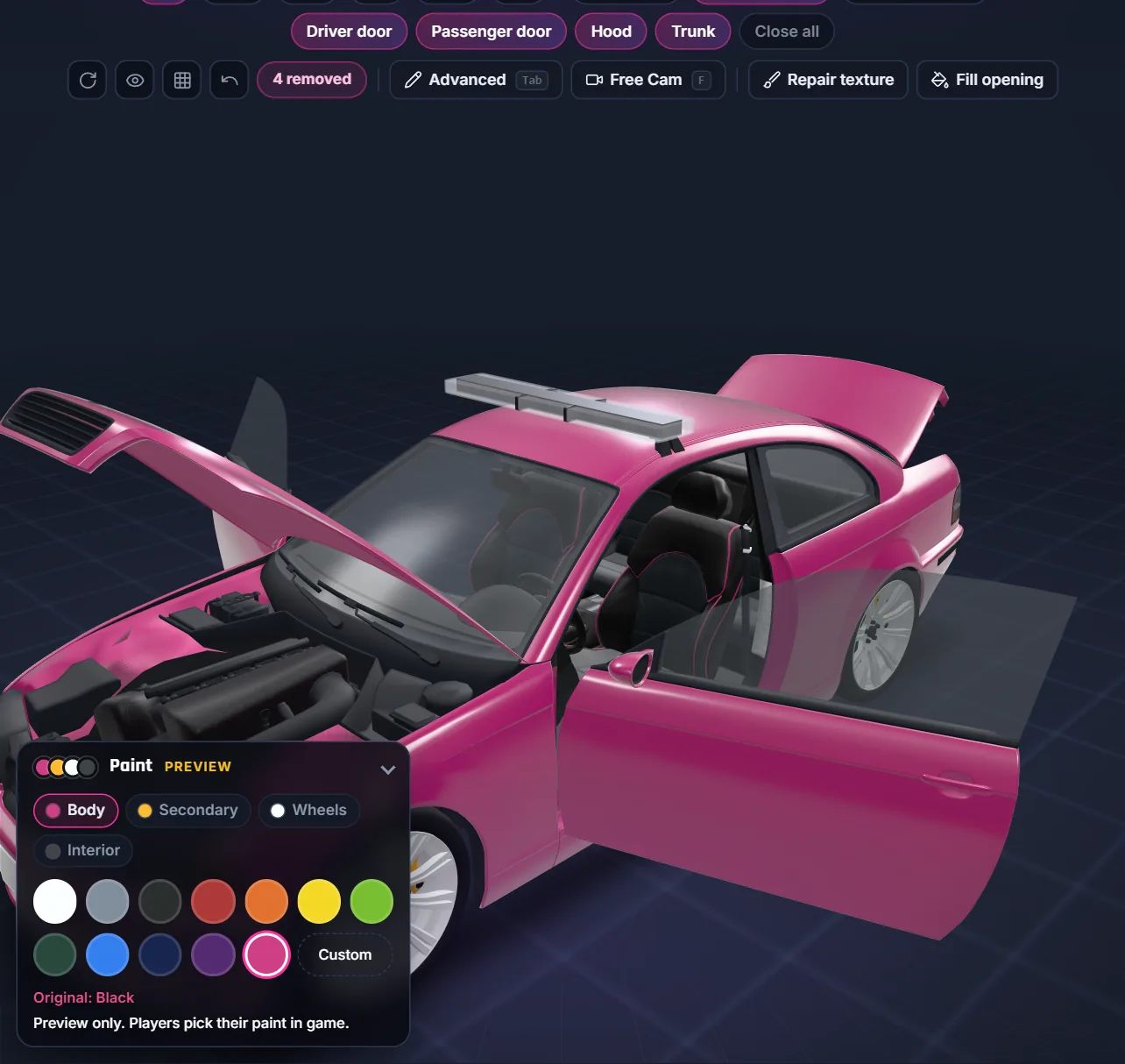
The detail levels are where most hand edits go wrong. In our own debadging work, a 3D editor that showed only the top level displayed a clean car while CodeWalker still showed the badge on the lower levels, and the game drew those at normal distance. When you check an edited .yft, look at every level, in a tool that reads the file the way the game does.
YDR and YDD: props and clothing
A .ydr is a single drawable: geometry, shaders and detail levels, with optional collision. On its own it is just a model in the stream folder. To spawn it with a script or place it on a map, the game needs an archetype with the same name in a .ytyp, and the resource must load that .ytyp. That pairing is the first thing to check when a FiveM prop does not show. Our Prop Creator writes the .ydr, the .ytyp and the manifest together.
A .ydd groups several drawables. Ped clothing uses it: each piece is a drawable, its colours are separate .ytd files, and the ped’s .ymt says which slots exist. That is why a clothing pack can break when the files and the .ymt disagree; see how to fix FiveM clothing packs.
Why file names matter in FiveM
- Models are found by name. A car’s
.yftmust have the same name as itsmodelName, and the close-up file adds_hi. A mismatch is a classic cause of a car stuck spawning. - Textures are found by name. A model looks for its
.ytdand for each texture inside by name. Rename one and the model shows nothing or a default texture. - Names are shared by the whole server. Two streamed files with the same name do not both load: one wins. Our Map Fixer reports these conflicts inside a map before it builds it.
- Props bind by file and hash. In the maps we merged, working
.ytypfiles sometimes had no internal name at all: FiveM loads them by the file named inDLC_ITYP_REQUESTand matches archetypes by hash.
How do I check a model file before I stream it?
- Open it in CodeWalker. Load the
.yftor.ydrwith its.ytdand look at it from close and from far, so you see each detail level. - Check the names. The model file must match its
modelNameor archetype name, the_hi.yftmust match the base name, and the texture dictionary name must match what the model or archetype asks for. - Check the textures. No single texture over 16 MiB, and no oversized textures on small parts. The Optimizer compresses them in the right format.
- Check the companions. A prop needs its
.ytypandDLC_ITYP_REQUESTline; a car needs its metas infilesanddata_file; clothing needs its.ymt. - Test in game. Start the resource, close FiveM completely after changes, reconnect and look at the model up close and from a distance.
Legacy and Enhanced files
FiveM on GTA V Enhanced uses newer versions of these formats. Files made for the Legacy game have to be converted before an Enhanced server can stream them, and a file that opens fine in a Legacy tool proves nothing about Enhanced. See the FiveM Enhanced vehicles guide.
File type questions
What is a YFT file in FiveM?
A GTA V fragment model, used for vehicles: the model with its skeleton, breakable parts, physics shapes, window break data and detail levels. It goes in the stream folder with its YTD textures and the car’s meta files.
What is a YDR file?
A GTA V drawable: one static model with its shaders and detail levels, used for props and map pieces. An add-on prop also needs an archetype in a YTYP file loaded with DLC_ITYP_REQUEST.
What is the difference between YDR and YDD?
A YDR holds one drawable; a YDD holds several drawables in one file, which is how ped clothing, heads and hair are stored.
What is the _hi.yft file?
The high detail version of a vehicle, drawn when the camera is close. Its name is the base model name plus _hi, and edits must be made to both files.
How do I open a YFT or YDR file?
CodeWalker opens them for free and reads them the way the game does; OpenIV and Blender with a GTA import add-on can also open and edit them. Check every detail level, not just the one shown first.
Can I rename a YFT or YDR file?
Only together with everything that points to it: modelName in vehicles.meta for a car, the archetype in the YTYP for a prop. A renamed file with old references does not load.