
FiveM Server Panel for Linux: Install in One Command
The FiveMRides Server Panel installs a complete FiveM server on a fresh Linux VPS with one command (txAdmin, the FiveM server files, MariaDB, nginx with HTTPS), then gives you a web panel to run it from your browser or your phone: live stats, console, resources, files, database, backups, updates and a Discord bot. One lifetime license, $69.99, one time.
- What it is: a one-command installer plus a web control panel for a FiveM server that you run on your own VPS.
- Platform: Built for Linux. Tested on Debian 12 and 13. Ubuntu 22.04+ supported. There is no Windows version.
- Price: $69.99 once, lifetime license, full features. No subscription.
- License: one license runs one server. Fixed lifetime price, promo codes do not apply.
- Included with Studio: Studio Max includes a Standard panel license and Studio Unlimited a Pro license, while the plan is active. Compare plans.
- Not included: the VPS itself, a Cfx.re license key (free from Cfx.re), and any game resources or scripts.
The panel needs a Linux VPS with root access. Our pick is a Contabo Performance VPS: plenty of RAM for a roleplay server, recent AMD EPYC CPUs with NVMe storage, always-on DDoS protection included, and monthly terms. Install Debian 12 or 13 on it, then run the one command below.
See Contabo VPS plans Why we pick Contabo
Contabo is our hosting partner: we may earn a commission at no extra cost to you.
How do you install a FiveM server on Linux in one command?
Log in to a fresh Debian or Ubuntu VPS as root and paste one command. The installer asks a few questions (your Cfx.re license key, your framework, a domain name for the panel) and sets everything up. It can pick ESX, QBCore, Qbox, or a bare server.
| What gets set up | Details |
|---|---|
| txAdmin and the FiveM server files | The current FiveM artifacts, kept up to date by the panel (your txAdmin data is kept on updates). |
| MariaDB | A tuned database for your resources, with a generated password you can rotate from the panel. |
| nginx and HTTPS | nginx in front of txAdmin and the panel, with a Let’s Encrypt certificate once your domain name points at the server. |
| Services | systemd services that restart on reboot, plus automatic updates and daily backups. |
| The panel | The web panel on its own port, behind a login, in English, French and Spanish. |
Want to see every step by hand first? Read how to install a FiveM server on Linux and txAdmin on Linux. The panel automates exactly that work, and the guides show what it does for you.
What can you do in the panel?
Live dashboard
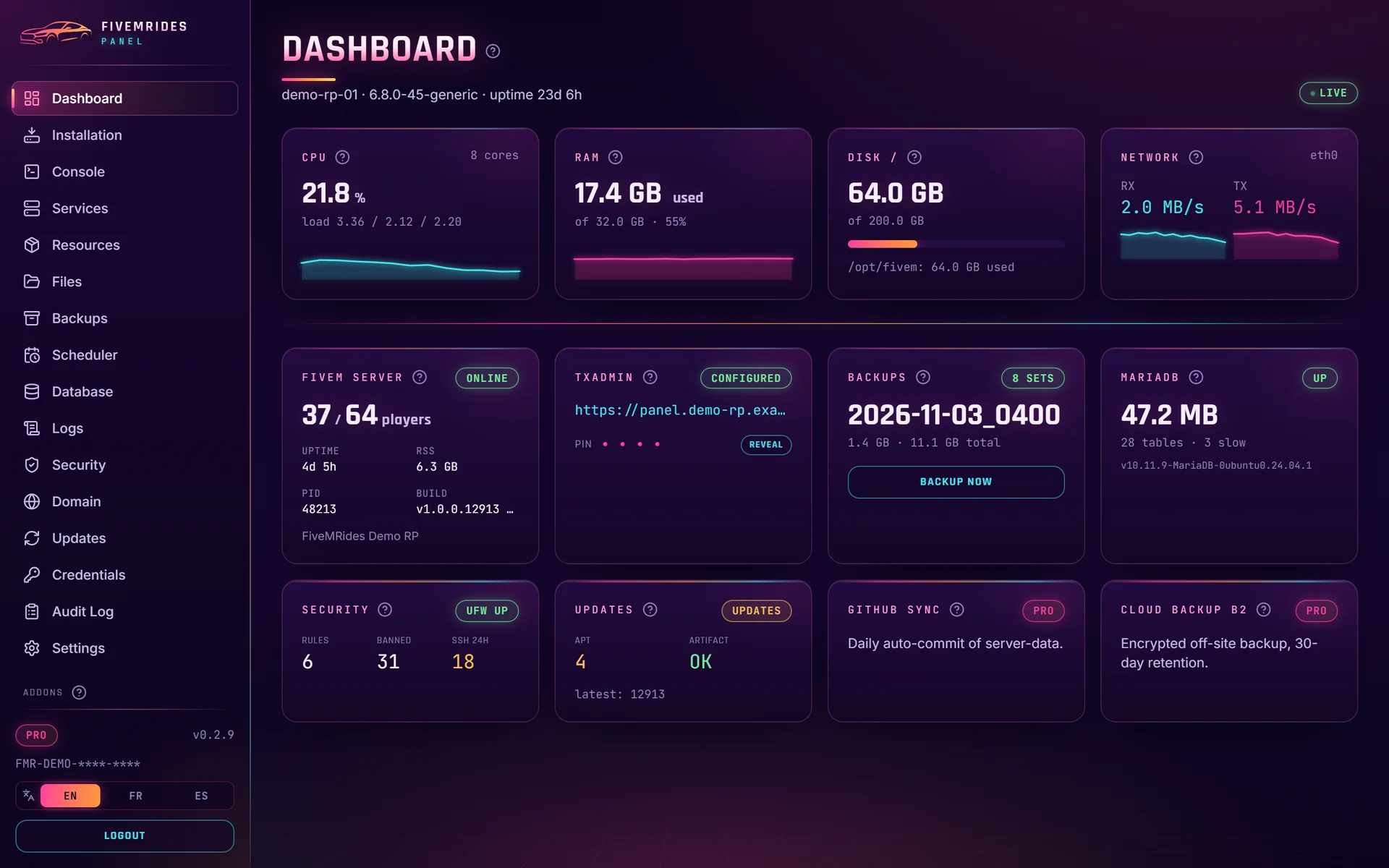
CPU, RAM, disk, network, player count, uptime, backups and database status on one screen.
Console and services
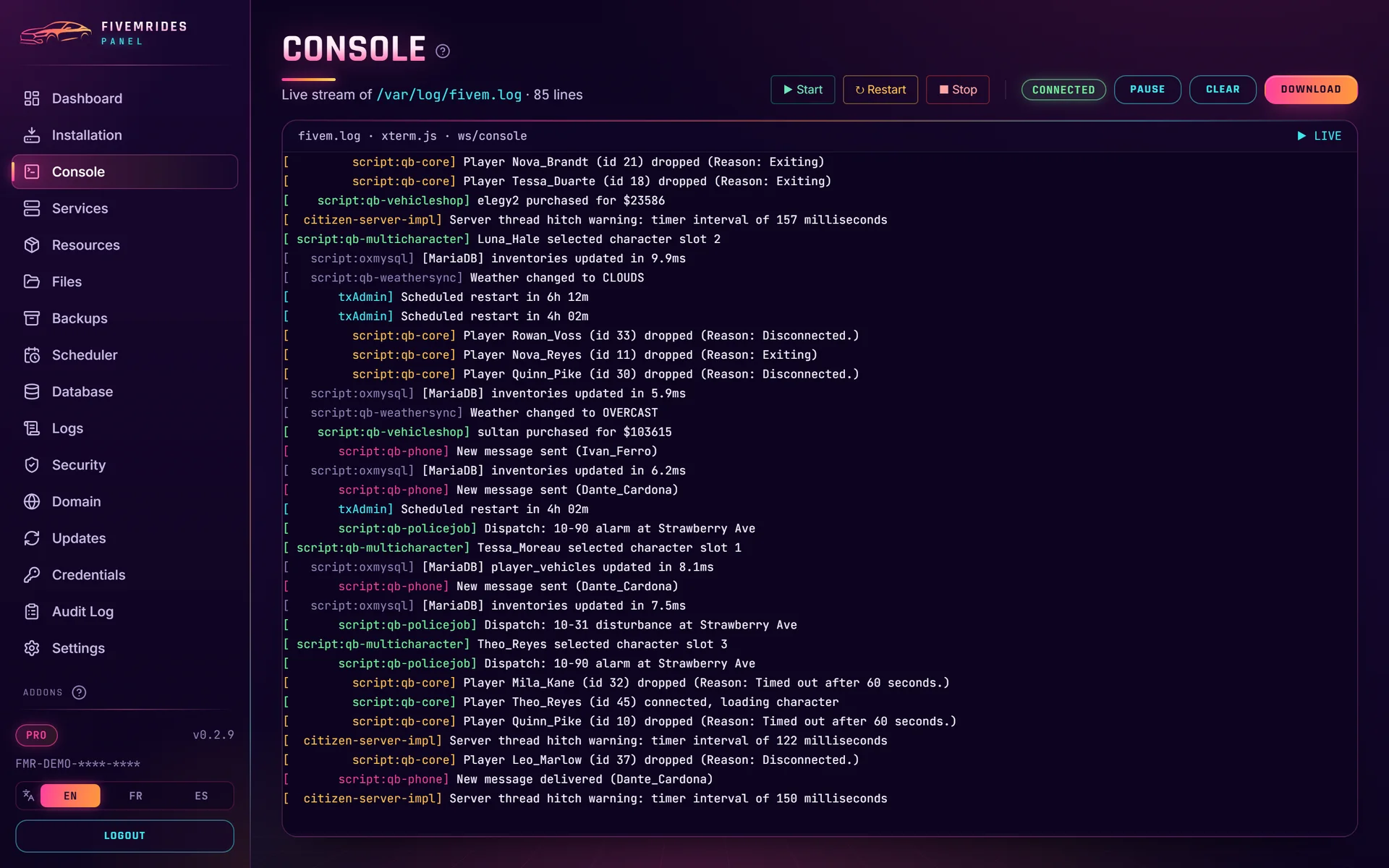
Start, stop and restart the FiveM server and read its live console from the browser.
Resources and files
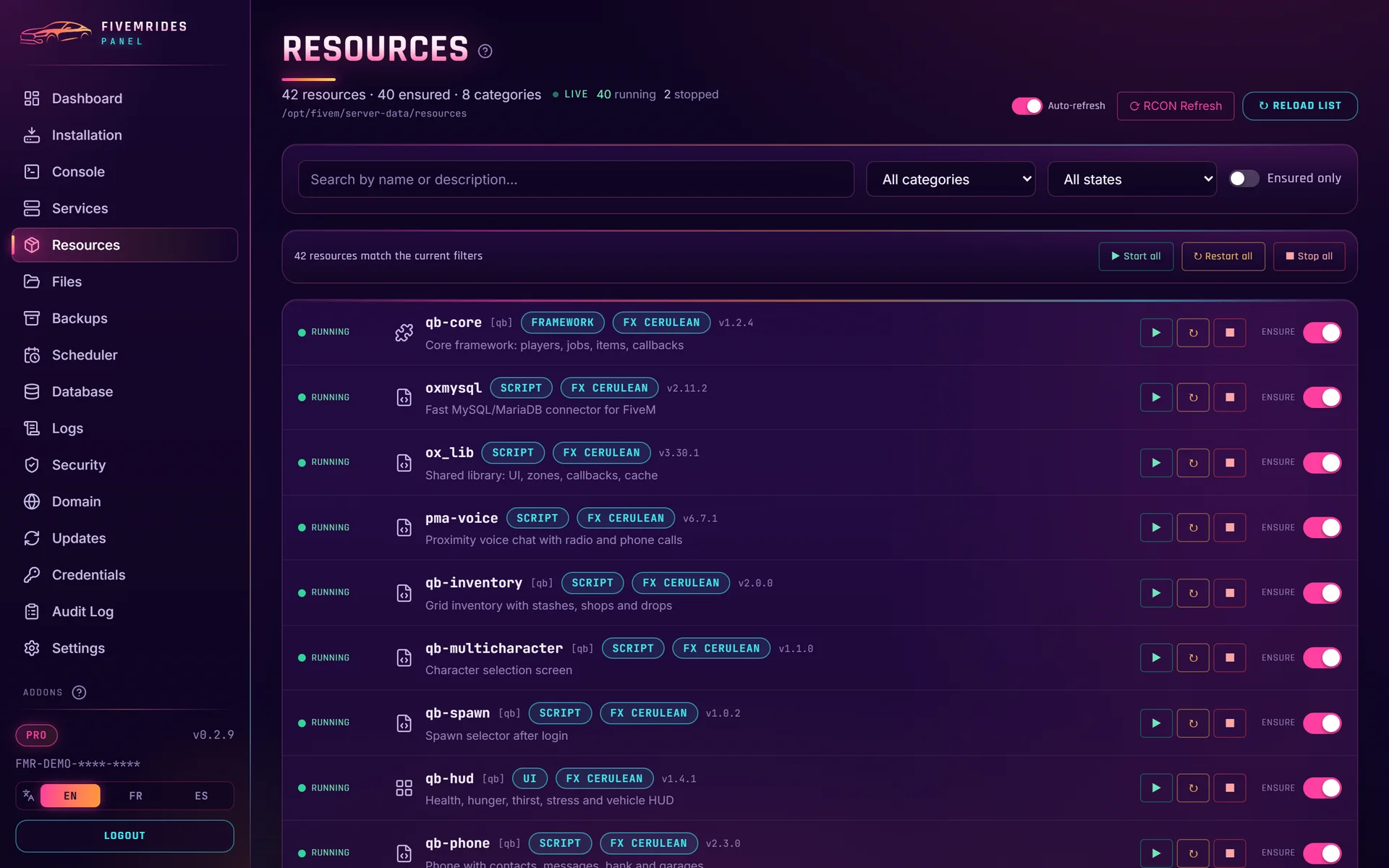
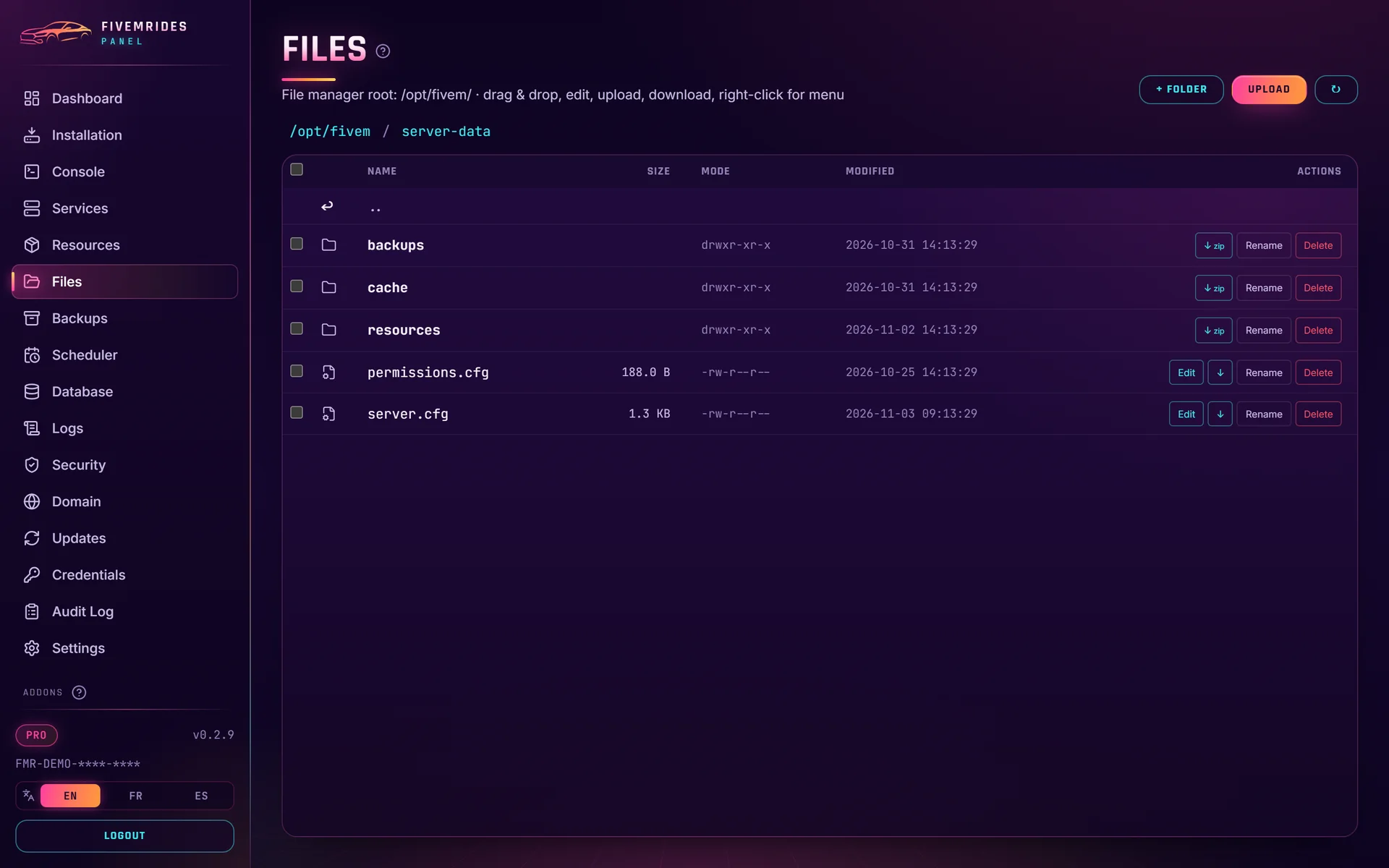
Browse your resources, start, stop and refresh them once live control is switched on (one click, works with txAdmin), and edit, upload and download files without an SFTP client.
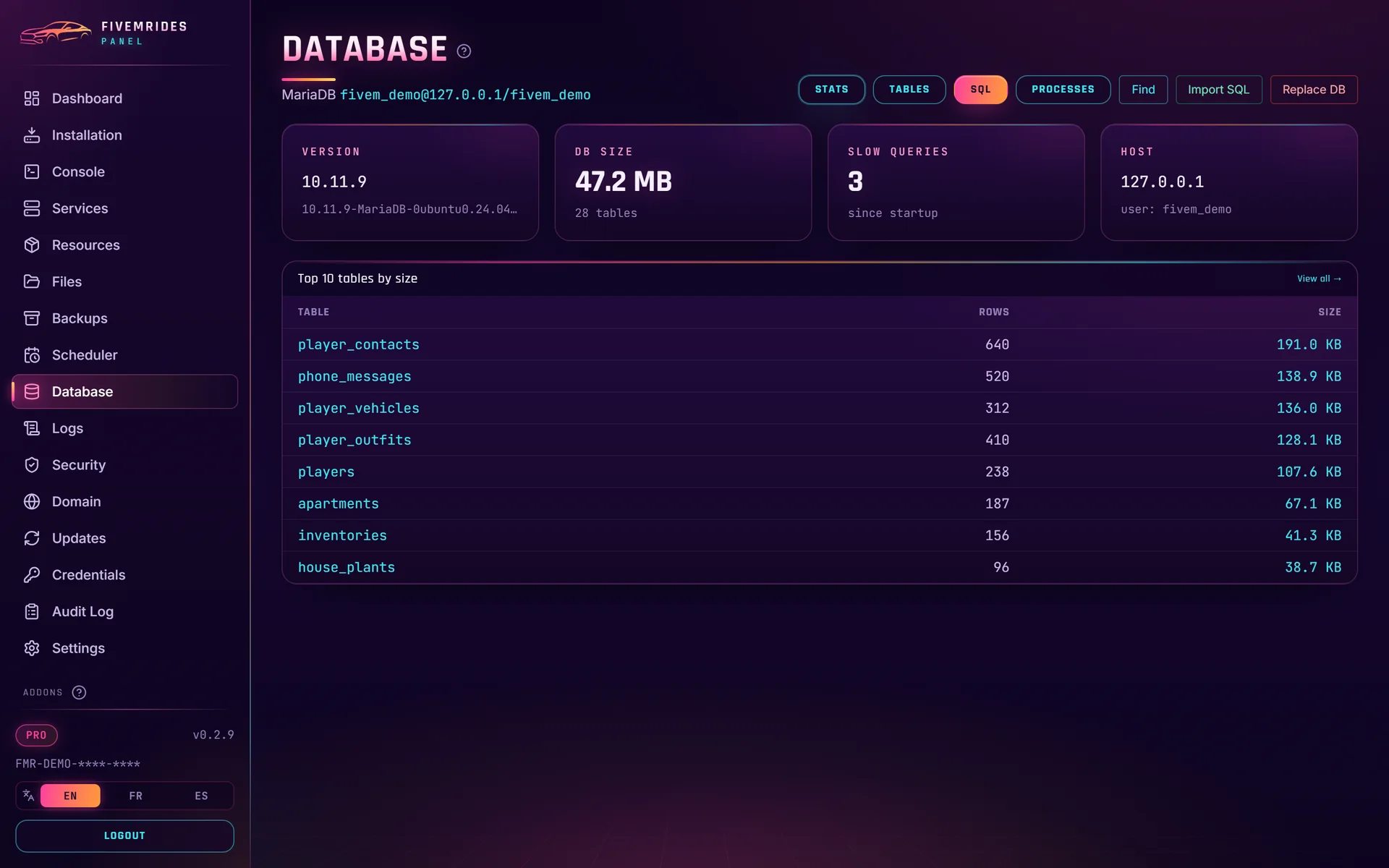
Database
See your MariaDB tables and rotate the database password from the panel.
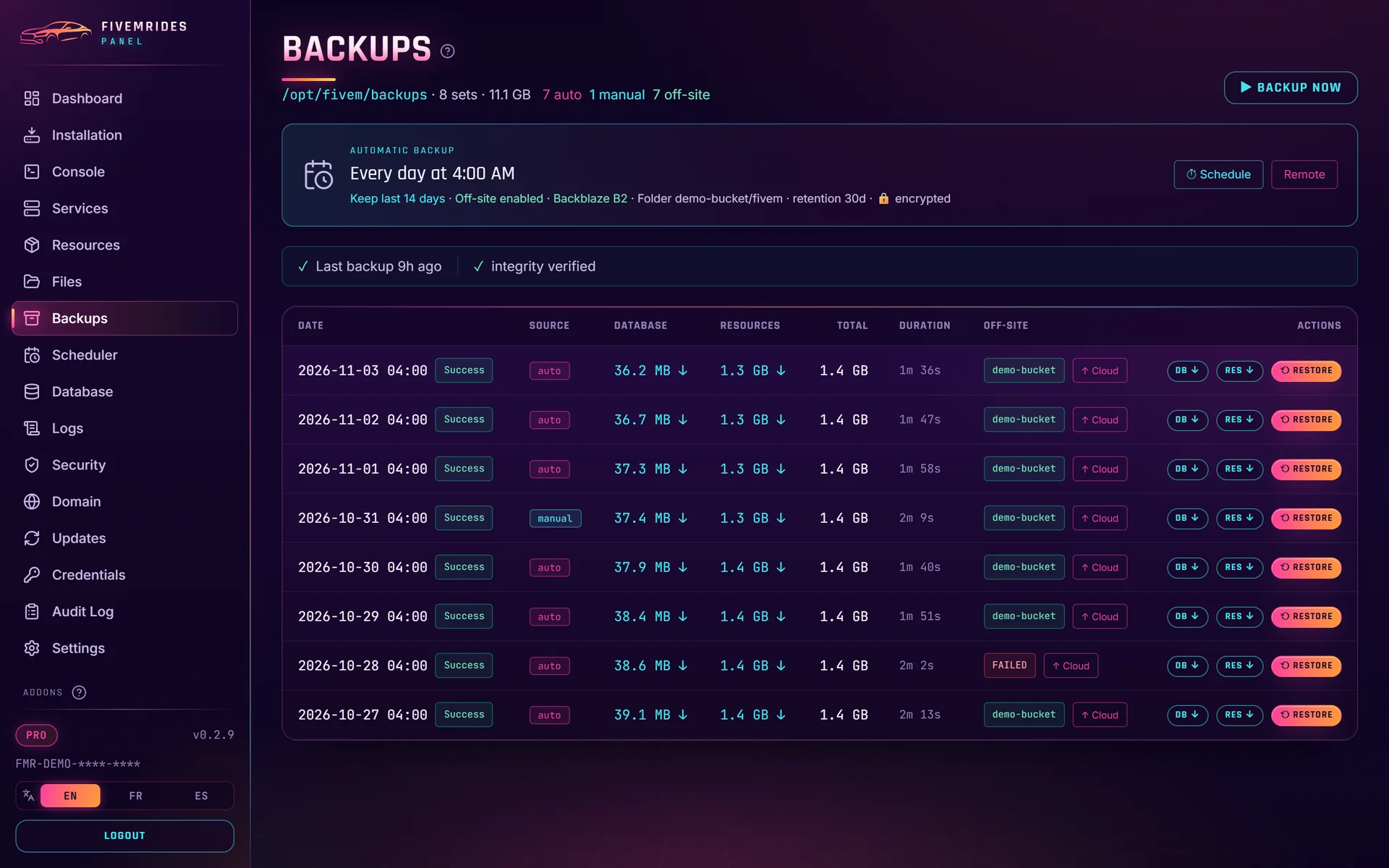
Backups
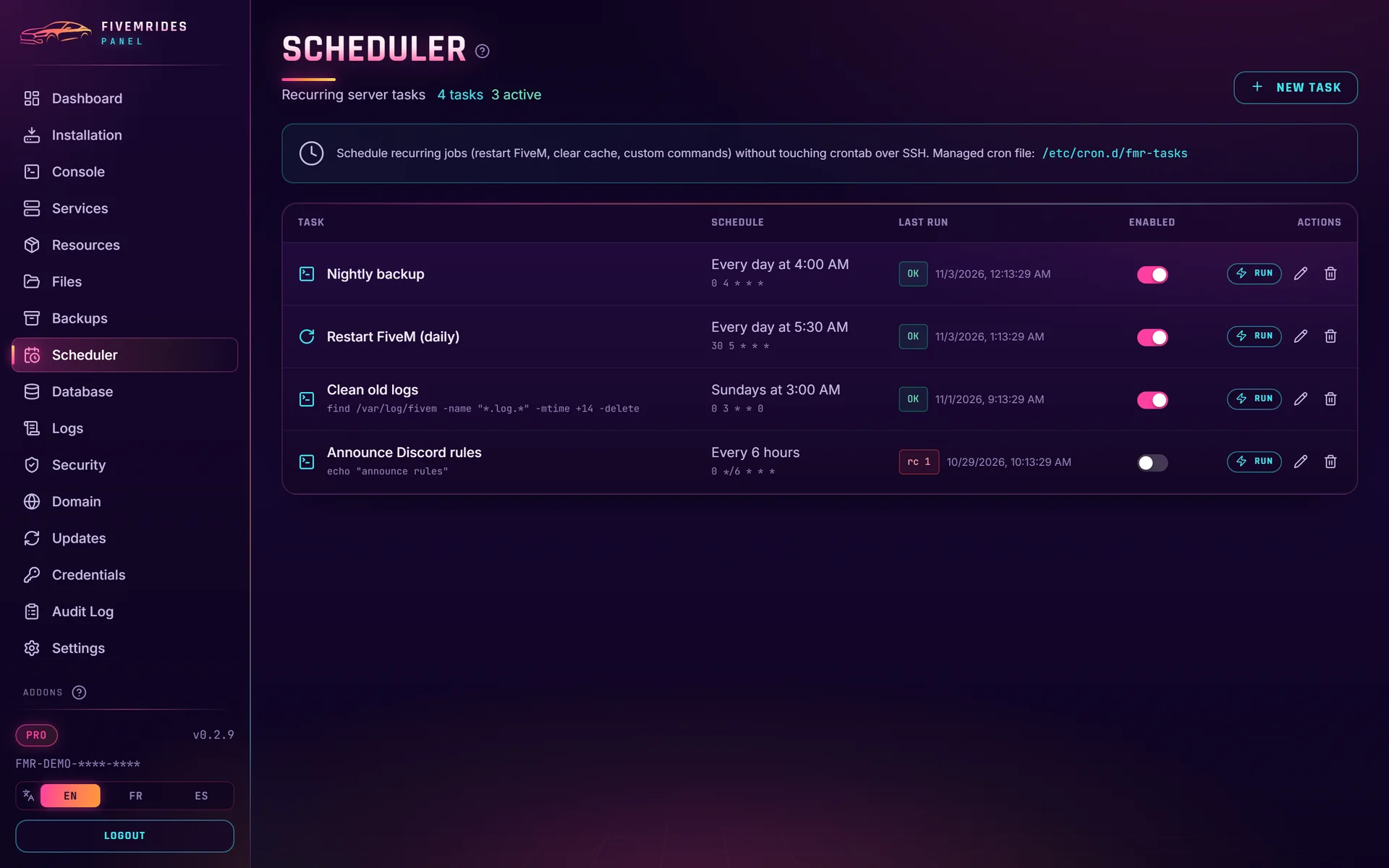
Scheduled backups with a simple scheduler, one-click restore, and off-site copies to Google Drive or OneDrive, with optional encryption.
Updates
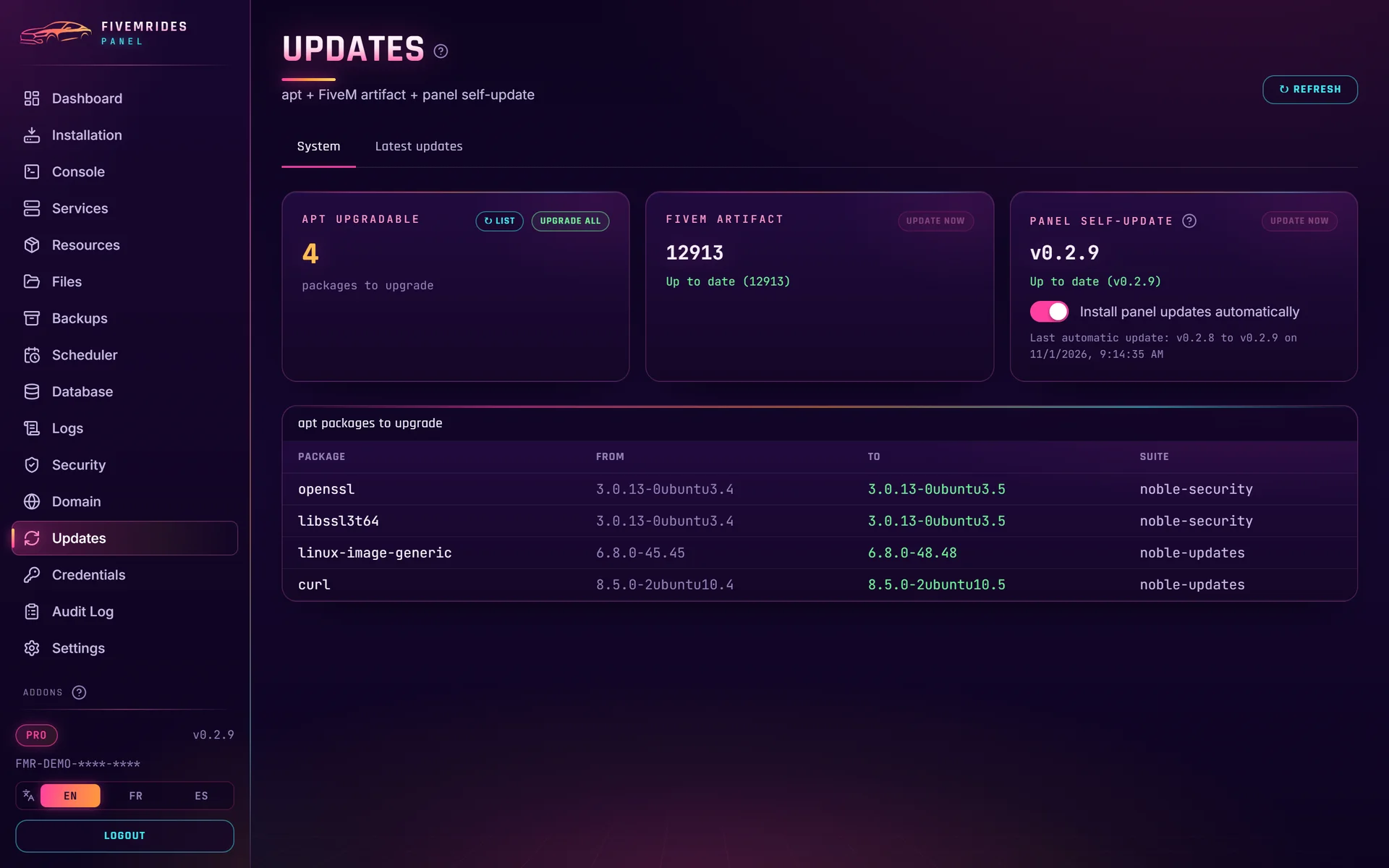
Automatic FiveM artifact updates that keep your txAdmin data, and signed one-click panel updates with automatic rollback, released gradually, with a release notes tab.
Legacy or Enhanced
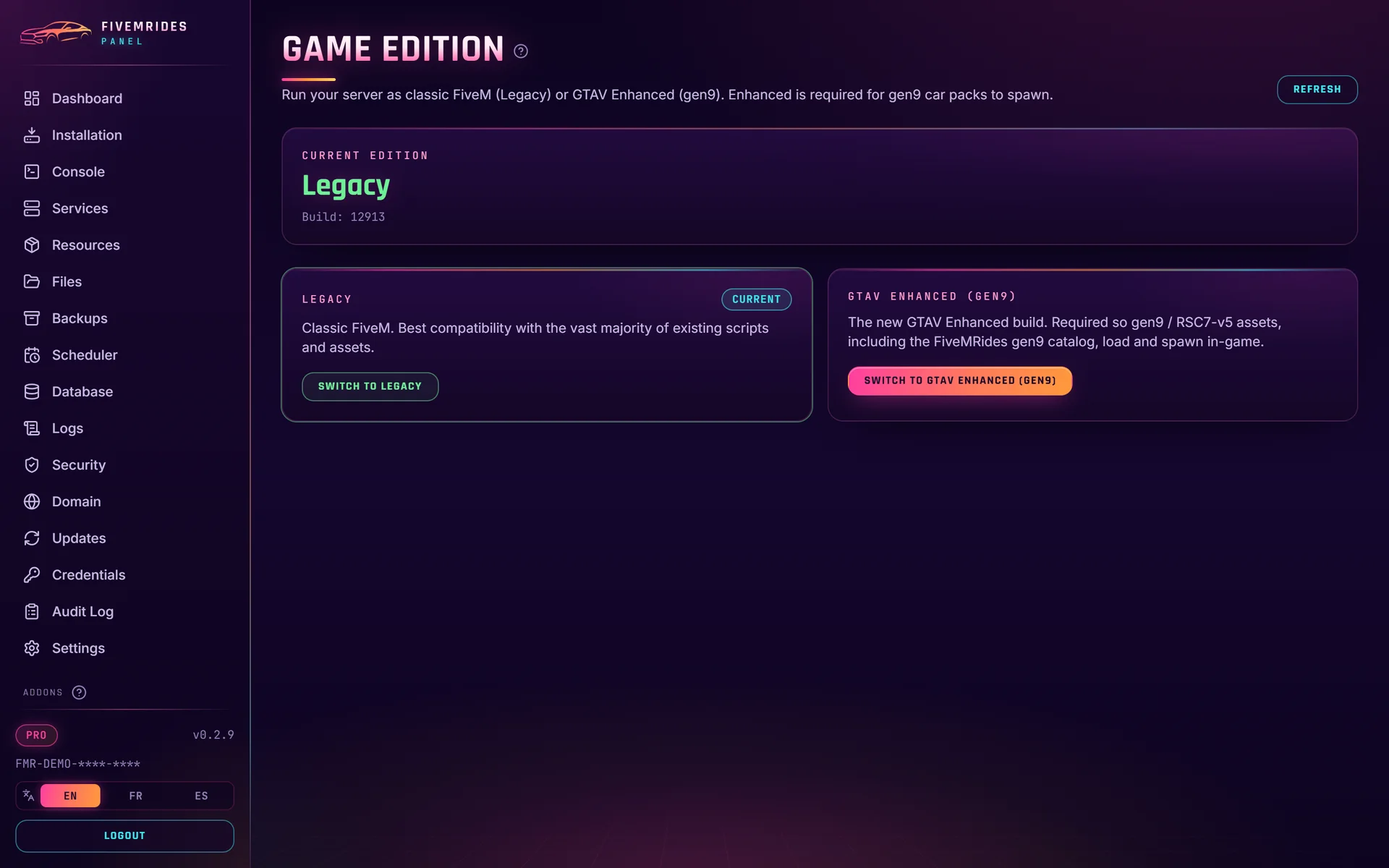
Switch the server edition between GTA V Legacy and GTA V Enhanced (gen9) from the panel.
Discord bot
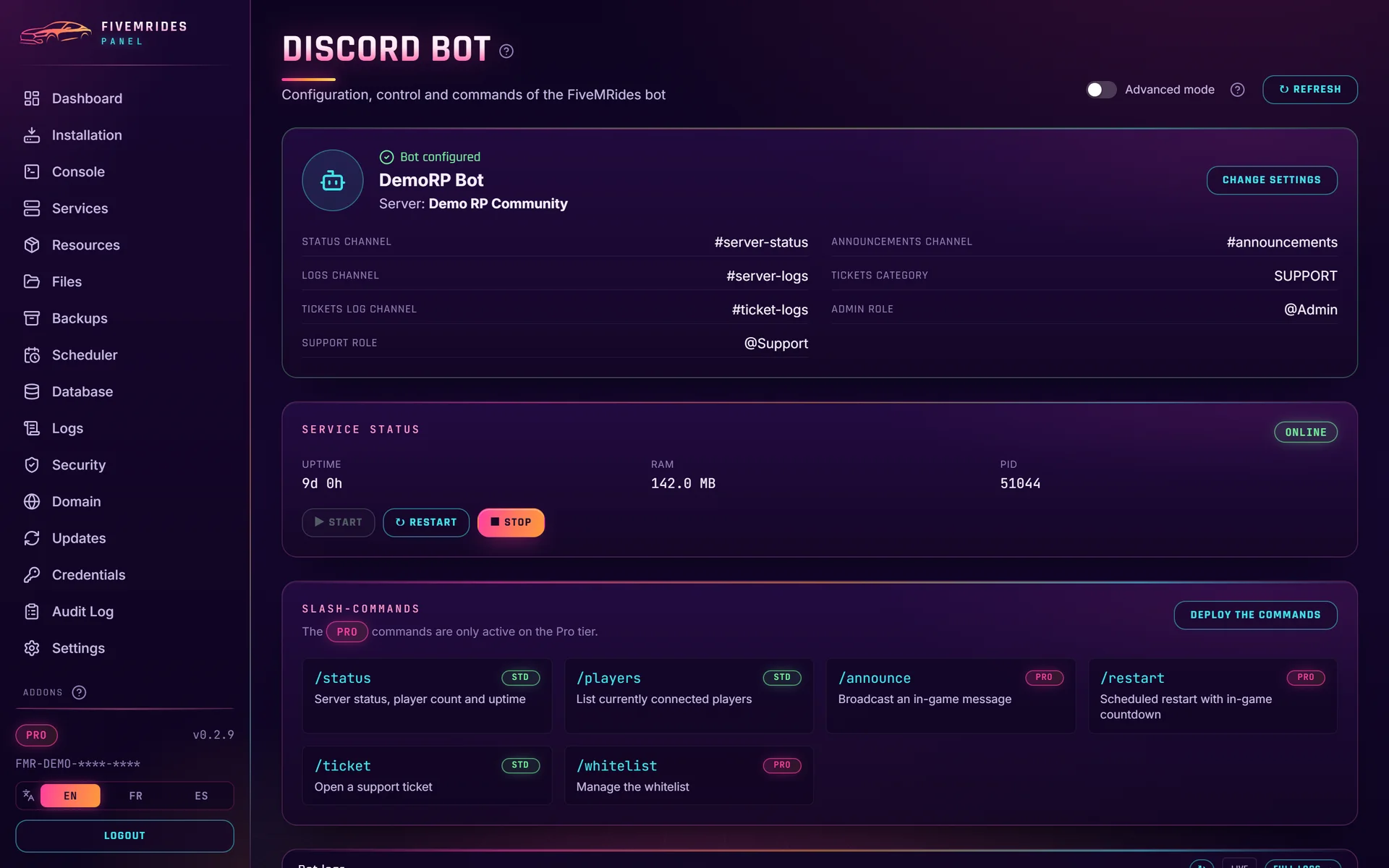
Install a bot from the panel, set it up with dropdowns instead of raw IDs, and design announcements with the Embed Builder.
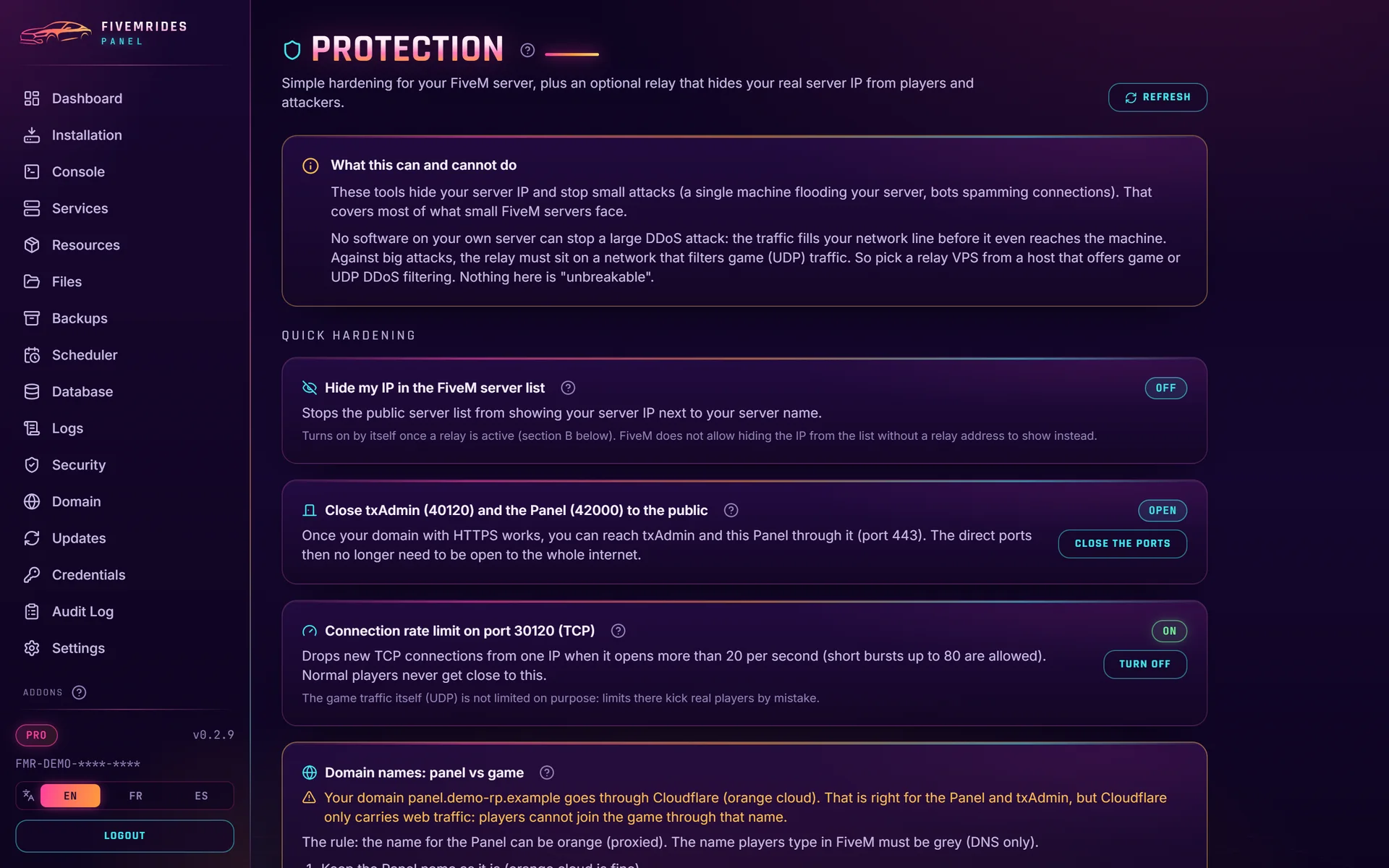
Protection
Close admin ports, limit new connections on port 30120 and set up your own relay with a wizard. See the honest limits below.
Logs, audit and security
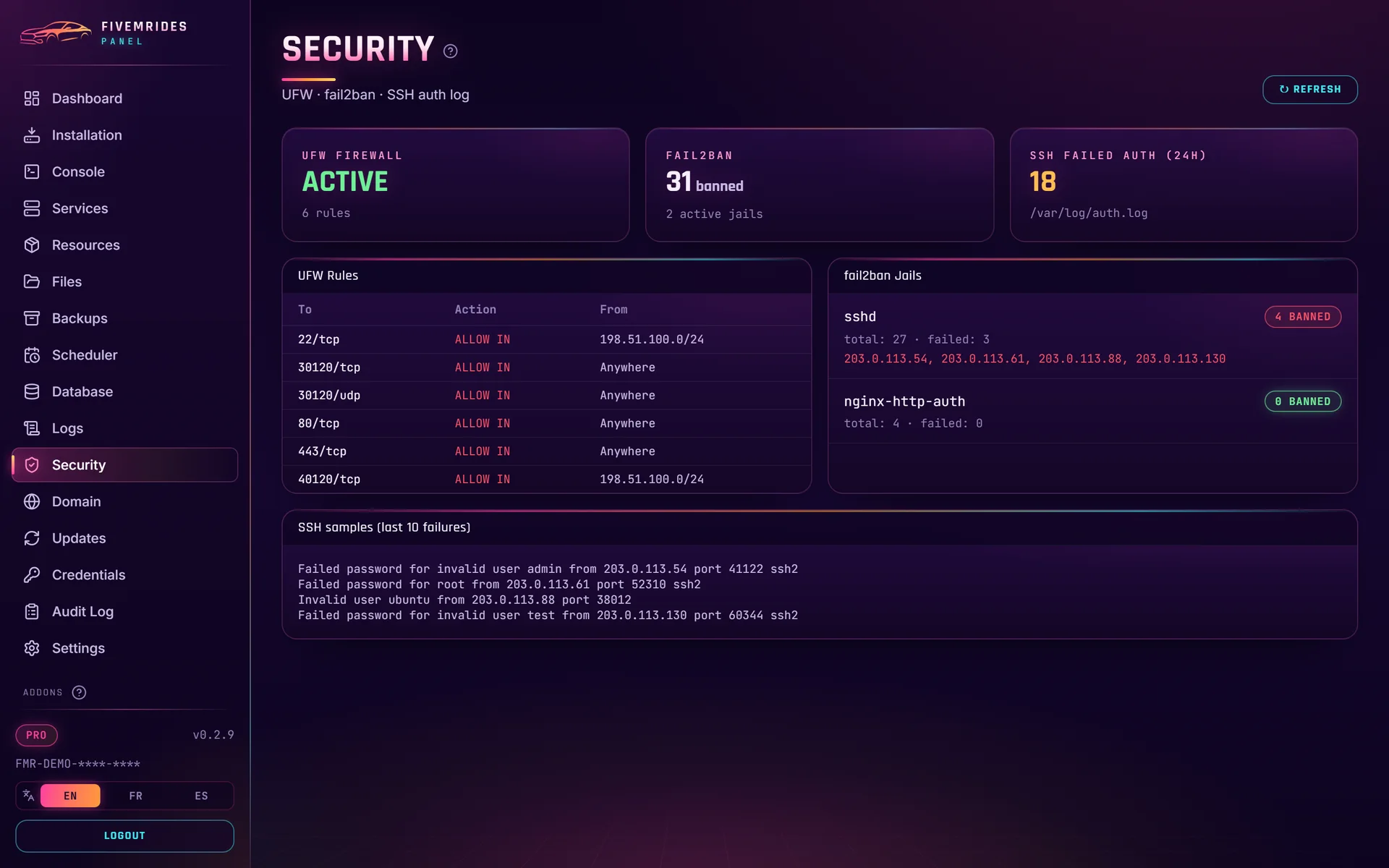
Read the logs, see an audit log of panel actions, and check firewall and login attempts.
Safer by default
The account that runs the game server cannot become root or change the panel, and the panel only runs installer scripts signed by FiveMRides.
Mobile friendly
The whole panel works on a phone, in English, French and Spanish.
What does the panel look like?
Click any picture to see it full size, then use the arrows (or swipe on a phone) to go through them. Want to click around yourself? Open the live demo: the real panel interface running with a fake server, nothing to install.
Does the panel protect a FiveM server from DDoS?
It helps, and it has limits. The Protection addon closes admin ports, limits new connections on the game port (30120 TCP) and can set up a relay that you bring yourself, so your real server IP is not the address players see. That helps hide your IP and stops small attacks. It does not make a server unbreakable: a large volumetric attack fills your network line before it reaches the machine, and only a host with game (UDP) DDoS filtering can absorb that. Firewall changes made from the panel undo themselves after 90 seconds unless you confirm them, so a mistake cannot lock you out.
Read the full explanation in FiveM DDoS protection: what a relay and a firewall cover.
What does the Server Panel cost, and what does one license cover?
The Server Panel is one product: FiveMRides Server Panel, Lifetime License, $69.99, paid once, full features. One license runs one server: it binds to the first machine you install it on. If you move to a new VPS, ask us on Discord and we will move the license. After payment, your key is in My Account under Server Licenses.
There is no refund on digital licenses. If something does not work on your VPS, we repair or replace it, see the refund policy.
Included free with a Studio plan
If you already use the FiveMRides Studio, the panel license is part of the higher plans, while the plan is active:
| Studio plan | Price | Server Panel license included |
|---|---|---|
| Studio Pro | $9.99 per month | Not included |
| Studio Max | $24.99 per month | Standard license, 1 server |
| Studio Unlimited | $49.99 per month | Pro license, 1 server |
See all plan details on the Studio page. The lifetime license above is a Pro license and stays yours whether or not you keep a Studio plan.
Standard or Pro: what is the difference?
Both tiers install the same server and the same panel. Pro adds these extras:
| Feature | Standard | Pro (lifetime license) |
|---|---|---|
| One-command install, dashboard, console, resources, files, database, backups, updates, Protection, Legacy / Enhanced switch | Yes | Yes |
| Discord bot, ticket panel, status and players commands | Yes | Yes |
| Discord bot admin commands (announce, restart, kick, ban) | No | Yes |
| Encrypted off-site backup to Backblaze B2, set up at install | No | Yes |
| Daily GitHub sync of your server data | No | Yes |
| Daily automatic install of FiveMRides add-ons you buy (add-on sync) | No | Yes |
What do you need?
- A VPS or dedicated server with root access, running Debian 12 or 13 (tested) or Ubuntu 22.04 or newer. Built for Linux: there is no Windows version.
- A free Cfx.re server license key from the Cfx.re portal.
- A domain name, if you want HTTPS for txAdmin and the panel.
- Your own resources. The panel installs the server and the framework you pick, not the scripts your community needs.
Not sure what to choose? See FiveM server on Windows or Linux.
The panel runs on a VPS that you rent from the provider of your choice. Our guide compares what to look for (CPU, RAM, disk, network, DDoS filtering) and what a FiveM server really needs: the best VPS for FiveM.
Guides
New to running a server? These guides explain each part, and show what the panel automates.
Frequently asked questions
What is the FiveMRides Server Panel?
It is a one-command installer and a web control panel for a FiveM server that you host yourself on a Linux VPS. The installer sets up txAdmin, the FiveM server files, MariaDB and nginx with HTTPS. The panel then lets you manage the server from a browser: stats, console, resources, files, database, backups, updates, a Discord bot and Protection tools.
Does it work on Windows?
No. The Server Panel is built for Linux. It is tested on Debian 12 and 13, and Ubuntu 22.04 or newer is supported. There is no Windows version.
Do I still need txAdmin?
Yes. The panel installs txAdmin and works around it. txAdmin keeps managing your server inside, and the panel handles the environment: install, services, HTTPS, backups, artifact updates, the database and the Discord bot.
Is it a subscription?
No. The Server Panel is a one-time lifetime license for $69.99. The license is also included with Studio Max (Standard) and Studio Unlimited (Pro) while that plan is active.
Can I use one license on several servers?
No. One license runs one server. It binds to the first machine you install it on. If you move to a new VPS, contact us on Discord and we will move the license for you.
What is the difference between Standard and Pro?
The lifetime license is Pro. Standard has the same install and the same panel, but without the Discord bot admin commands (announce, restart, kick, ban), the encrypted Backblaze B2 backup, the daily GitHub sync and the daily add-on sync. Studio Max includes a Standard license and Studio Unlimited includes a Pro license.
Does it protect my server from DDoS attacks?
It helps, and it has limits. The Protection addon closes admin ports, limits new connections on port 30120 and helps you set up a relay that hides your real server IP and stops small attacks. A large volumetric attack needs a host with game DDoS filtering. See the guide on FiveM DDoS protection.
What happens if a panel update breaks something?
Panel updates are signed, released gradually, and rolled back automatically if the panel does not come back healthy. Your FiveM server keeps running during a panel update, only the panel restarts.
Where do my backups go?
Backups are saved on your server on the schedule you choose. You can also send copies off-site to Google Drive or OneDrive from the panel, with optional encryption. The Pro license adds encrypted Backblaze B2 backup at install.
Can I get a refund?
No, digital licenses are not refunded. If the panel does not work on your VPS, we repair or replace it. See the refund policy.
FiveMRides Server Panel, Lifetime License: $69.99, one time, one server, full features.