
FiveM Car Decals: Windshield Banner and Window Stickers
A FiveM car decal on the windows, or a windshield banner, is a thin sticker laid on the glass of the car, with your text or image on it. The FiveMRides Vehicle Studio builds it into the car files: pick the windscreen, type the text, choose a band or letters only, and the same tool can put decals on the side windows and the rear window. The car’s own glass is not changed.
- Tool: Windshield banner in the FiveMRides Vehicle Studio. Price per car for the whole layer: free.
- Where: top or bottom edge of the windscreen or rear window (a band), or a decal on any window.
- What: text in a stock font (1 to 3 lines) or your own image, band colour and opacity, outlined or die-cut letters.
- How it fits: each element is Always on (follows the glass, breaks and rolls down with it), an Extra (fixed to the body) or a Tuning part (garage menu). It stays in the car files, no script.
- Old stickers: the Studio can find decals already printed in the car’s window textures and remove them (2 credits per car, once, billed as Debadge).
What is a windshield banner and why not paint the glass?
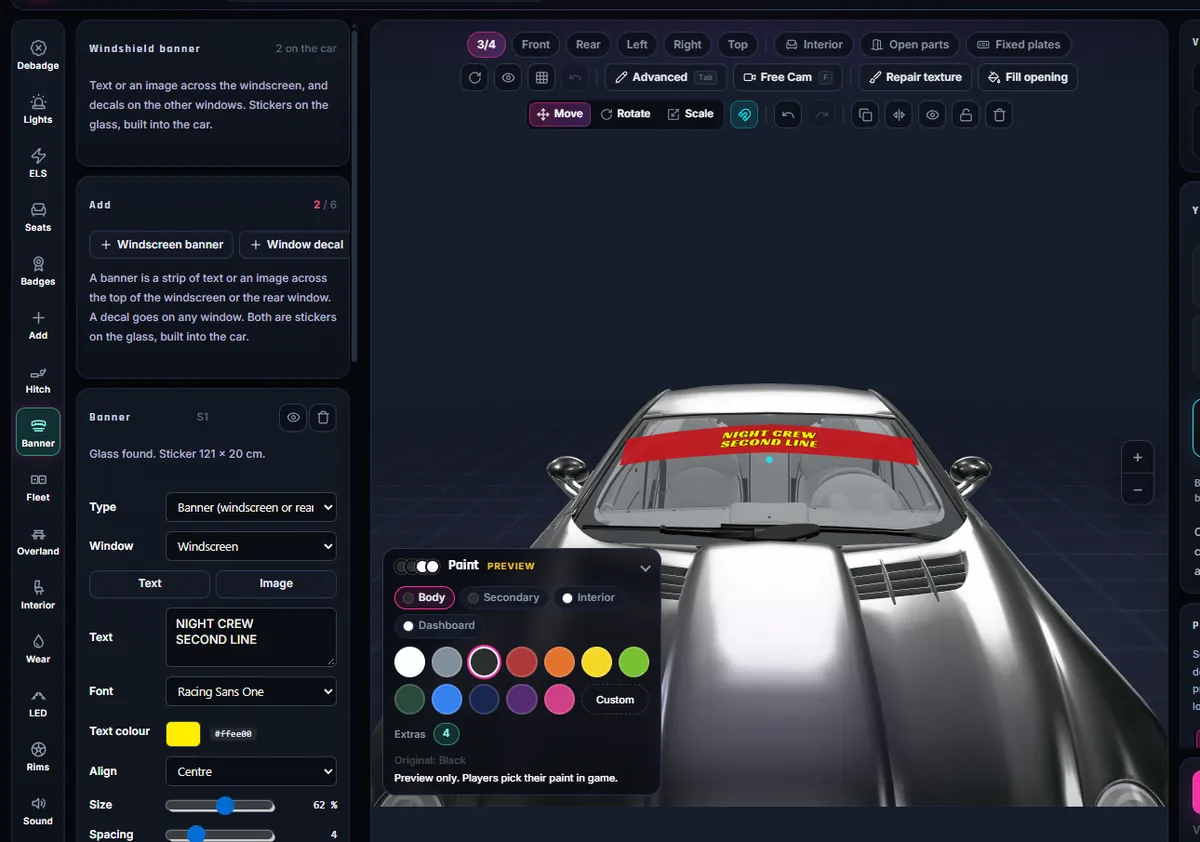
A sun strip, or windshield banner, is the band of text or colour across the top of a windscreen. Many roleplay servers use it for a crew name, a department or a callsign. In GTA the glass texture is shared by many parts of a car, so painting on it is fragile. The Vehicle Studio instead places a very thin mesh 3 mm in front of the glass, shaped to follow its curve, and gives it a transparent texture. The car’s glass model, shader and texture are left exactly as they were, so it does not clash with a window tint.
FiveM car decals and stickers: windows and body
This add-on is for the glass: the windscreen, the rear window and the side windows. Decals on the body panels (doors, bonnet, roof) are done with the Add tool in the same Vehicle Studio, and a full paint design with the Livery Studio. A sticker on a window does not need a livery or a script.
What can you put on it?
| Option | What it does |
|---|---|
| Target | Windscreen, rear window, any side window or quarter window (a band is for the windscreen and rear only, a decal works on any window) |
| Text | 1 to 3 lines, stock fonts, text colour, outline colour and width |
| Image | Your own PNG, JPG or WebP, alone or inside the band |
| Band | Colour, opacity (0 gives letters only, a die-cut look), soft lower edge, letters cut out so the glass shows through, height, top or bottom edge |
| From inside | Readable from the driver seat (default) or one side only |
| When the window breaks | Always on: follows the glass (the band leaves with a broken windscreen, a side decal goes down with its window). Extra or Tuning: fixed to the body (being checked in game) |
A car can carry up to 6 banner and decal items. Brand names and logos of real companies are refused by the same filter the Add tool uses.
How do I add a windshield banner to a FiveM car?
- Open the Vehicle Studio. Upload your car and open the Windshield banner tool in the left rail.
- Pick the window. Choose the windscreen for a banner, or any window for a decal. The preview finds the glass for you.
- Drag it on the glass. Move, resize and rotate the element directly on the window in the 3D view. It stays inside the window.
- Write the text or add an image. Choose a font, colours, the band and its opacity. Letters only (opacity 0) gives the die-cut look.
- Choose how it is fitted. Always on, an Extra players switch, or a Tuning part in the garage menu.
- Build and install. Download the resource, add it to your server, and look at the glass from outside and from the driver seat.
How do I remove stickers already on a car’s windows?
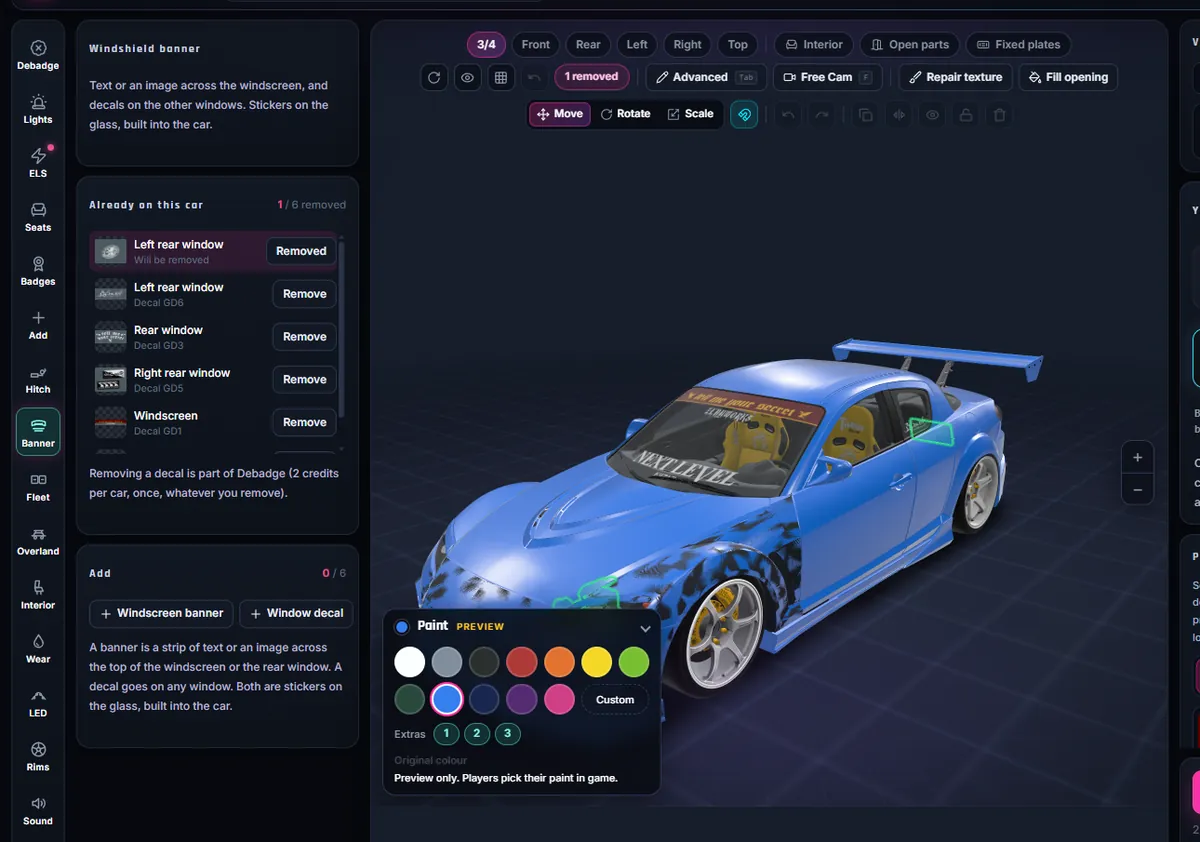
Some cars ship with decals printed into their window textures: a sponsor line, a plate sticker, a crew name. In the tool, the “Already on this car” list finds them, shows each one by window and lets you remove it. Removal repaints the glass tint over the decal, so the window keeps its tint and the car model is not touched. On a test sports coupe the list found six decals. A removal counts as part of Debadge: 2 credits per car, once, however many you remove. Removed decals are being checked in game.
This only covers decals baked into the glass textures. A decal that is a separate mesh or a livery on the body is not a window sticker, and the tool does not claim to remove it.
What it looks like in game
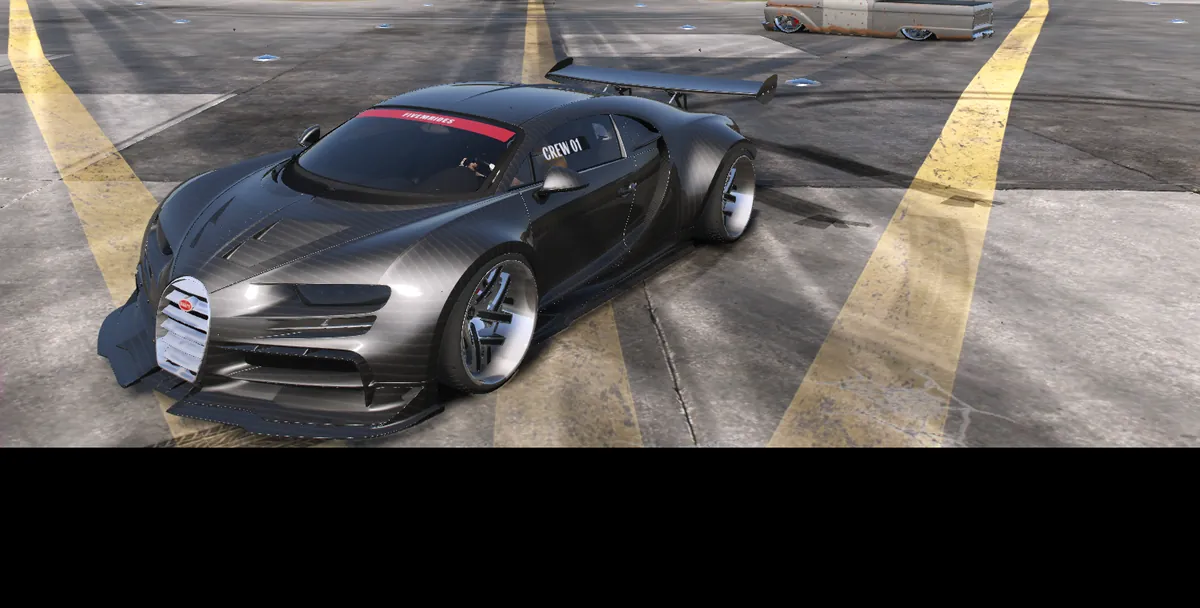
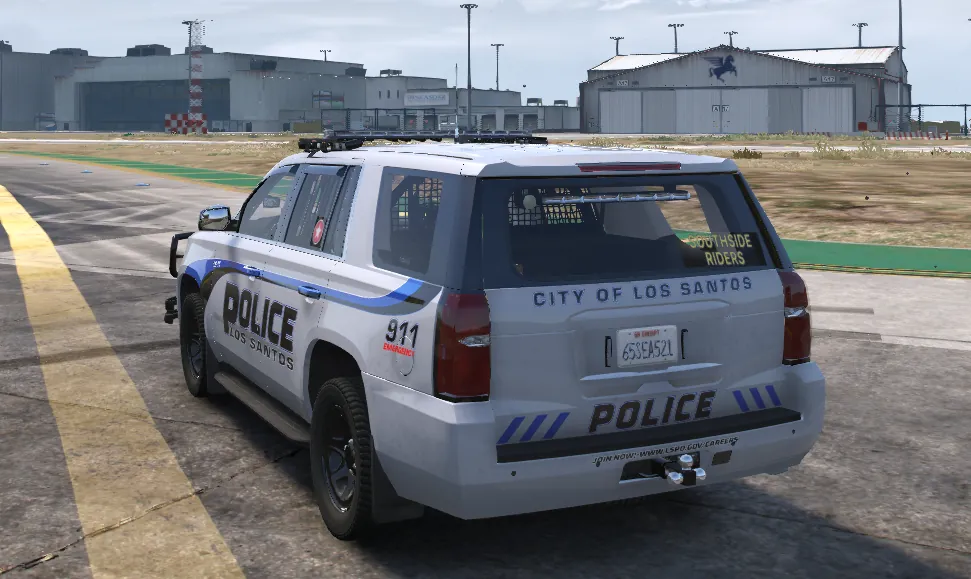
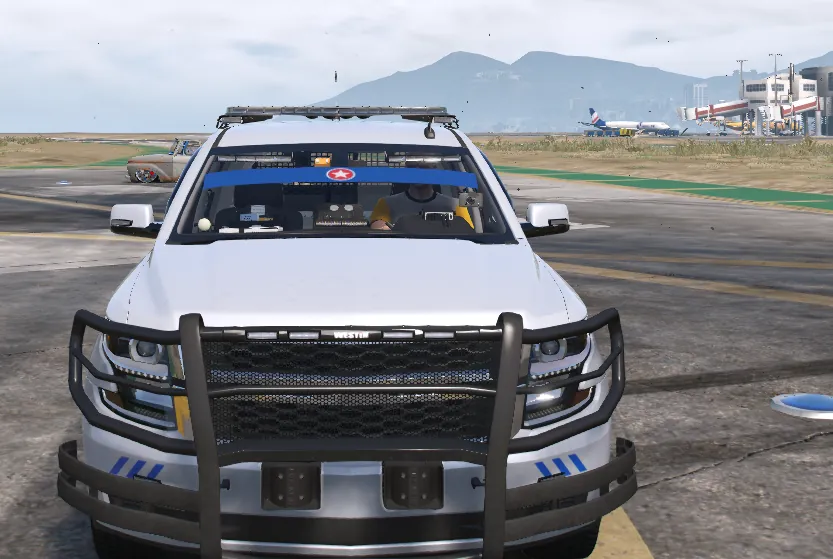
We saw the banner in game on a hypercar (a red band with a crew name, seen from outside) and on a police SUV (a blue band, a decal on the rear window and one on a side window). What we confirmed: the band leaves with the windscreen when it breaks, a side decal goes down with its window, the text reads correctly, and the outside-only option works (the text shows from outside and not from inside). The test cars are fictional departments we made, not real organisations. Curved glass stretches a little near its edges, so the band stays in the flat central part of the glass. The rear-view mirror stalk can hide part of a centred text from the driver seat; the tool offers left or right alignment for that.
Limits
- It is a printed sticker: it does not light up and it has no relief.
- Very curved side windows can stretch a decal slightly at the ends.
- Cars without a recognisable glass model are refused with a clear message instead of a wrong result.
- One car per upload. Tested on two cars; other cars, servers and GTA V Enhanced have not been tested.
Windshield banner questions
How do I put text on a FiveM car windshield?
Open the Windshield banner tool in the FiveMRides Vehicle Studio, pick the windscreen, type your text, choose a band or letters only, and build. The text is a sticker mesh placed just in front of the glass, so the glass itself is not changed.
How do I add a car sticker or decal to a FiveM car window?
Use the decal mode of the Windshield banner tool: pick the window, then type text or upload an image and place it. For stickers on the body panels use the Add tool of the Vehicle Studio.
Does it cost credits?
Price per car for the windshield banner layer: free, for all the banners and decals on that car.
Can I add a decal on a side window or the rear window?
Yes. The decal mode works on the windscreen, rear window, side windows and quarter windows, with text or an image.
Can the text be readable from inside the car?
Yes. By default a second copy sits just behind the glass so the text reads the right way from the driver seat. You can turn that off to keep one copy.
Will it conflict with a window tint?
It should not: the sticker is a separate mesh and the car’s glass is left untouched, so a tint effect still applies to the glass.
Can players switch the banner on and off?
Yes, if you build it as an Extra (1 to 12) or as a Tuning part in the garage menu; both are being checked in game. Always on is the version we confirmed in game.
Can I remove the stickers already on my car’s windows?
Yes, for decals printed into the window textures. The Windshield banner tool lists them under “Already on this car” and removes them by repainting the glass tint, so the window keeps its tint. It is billed as Debadge, 2 credits per car once. Removal is being checked in game.
Can I use my own logo?
You can upload your own image. Names and logos of real brands are refused, so use artwork you have the right to use.