
FiveM AI Livery, Tattoo, Weapon Skin and Plate Maker
The FiveMRides Studio now designs with AI inside the tools you already use to ship FiveM content: livery, tattoo, weapon skin and plate. You describe what you want, the Studio paints it for your car, weapon or body, you check it in 3D and export a FiveM resource. No design software needed.
- AI weapon skins in the Weapon Studio
- AI car liveries in the Livery Studio
- AI tattoos in the Tattoo Studio
- AI plate backgrounds in the Plate Studio
- 1 free AI design a day in the Tattoo or Livery Studio for every member who meets the Discord rules below
- Studio Max 12 per week, Studio Unlimited 17 per week AI designs with the plans
How it works
Every tool with AI follows the same four steps.
- Open a Studio tool with AI. Pick the tool for what you are making: Weapon Studio, Livery Studio, Tattoo Studio, Plate Studio.
- Describe what you want. Write a short prompt: the subject, the colours, the style. One clear idea works better than a long list.
- Generate and check it in 3D. The result appears on the car, weapon or body. Regenerate, tune it, or paint over it by hand.
- Export and test. Export the FiveM resource, then test it on your server before players use it.
AI designs are a fast start, not a finished product: results vary with the prompt, so expect to regenerate or edit. Every design can be reviewed in the 3D viewer before you export, and exports are tested on a server by you before players use them.
What the AI does in each tool
AI weapon skins in the Weapon Studio
A gun has several texture sheets (body, attachments, small parts). With AI you describe a finish and the Studio paints the sheet you are on, or the whole weapon in one go, so every sheet gets the same style. A slider keeps more or less of the original detail, and a reference picture can steer the look. Each result is a layer you can tune or remove.
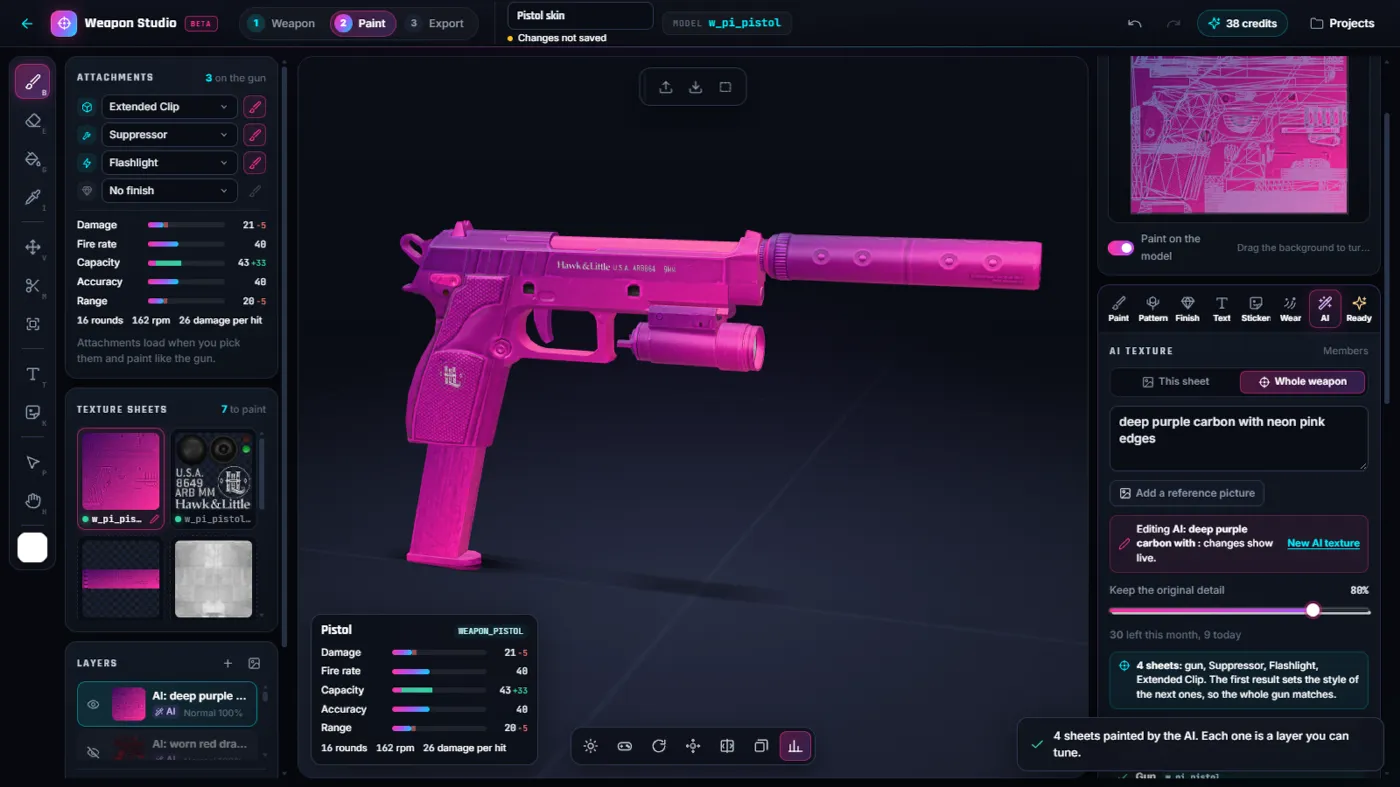
- Pick the weapon. Choose the gun and the attachments you want to paint in the Weapon Studio.
- Describe the finish. Open the AI tab, choose This sheet or Whole weapon, and type what you want, for example a colour and a material.
- Review in 3D. Turn the gun around in the viewer, change the detail slider, regenerate or fix spots by hand.
- Export. Export the weapon skin resource (1 credit), then test it on your server before players use it.
Good to know: The AI repaints textures, it does not change the weapon model. Small printed marks of the original gun can stay visible when you keep a lot of the original detail.
Designs can be shared in the Community of this tool, and other members can use them on their own car or weapon.
AI car liveries in the Livery Studio
The Livery Studio paints a six-view sheet (left, right, top, bottom, front, back) that wraps around your car. With AI you describe the livery and the Studio paints that sheet so the design follows the body panels of your car, then shows it on the 3D car. You can mirror one side to the other, keep editing with the layer tools and export a FiveM resource. A livery belongs to one car, because the sheet follows that car's panels.
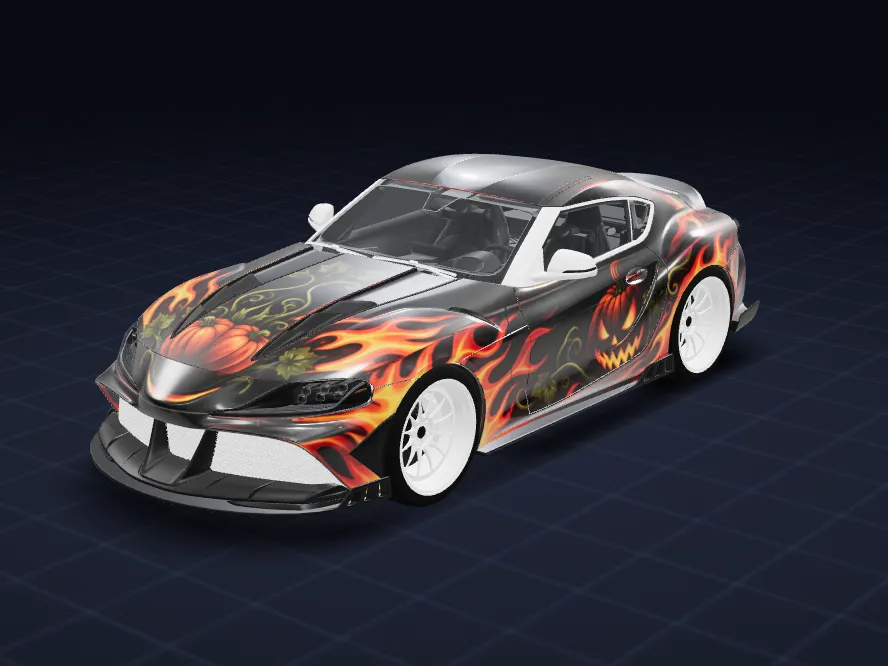
- Open your car. Upload the car in the Livery Studio and click the panels that should take the livery.
- Describe the livery. Open the AI card, type the idea (colours, theme, motifs) or tap one of the idea chips.
- Check it in 3D. The result lands on the 3D car. Mirror left to right, regenerate, or paint over it by hand.
- Export. Export the FiveM resource (1 credit), then test it on your server before players use it.
Good to know: Panels you did not select keep their plain base colour, and the AI can draw a motif where you did not expect one, so look at every side of the car.
This tool counts for the free daily try (Tattoo or Livery Studio).
Designs can be shared in the Community of this tool, and other members can use them on their own car or weapon.
AI tattoos in the Tattoo Studio
Type a sentence and the Studio draws a tattoo with a transparent background, ready to place on the body. Move it, resize it and layer several designs, then export a tattoo pack for your server. Light ink on a light skin tone does not read well, so the design is made in dark and mid tones.
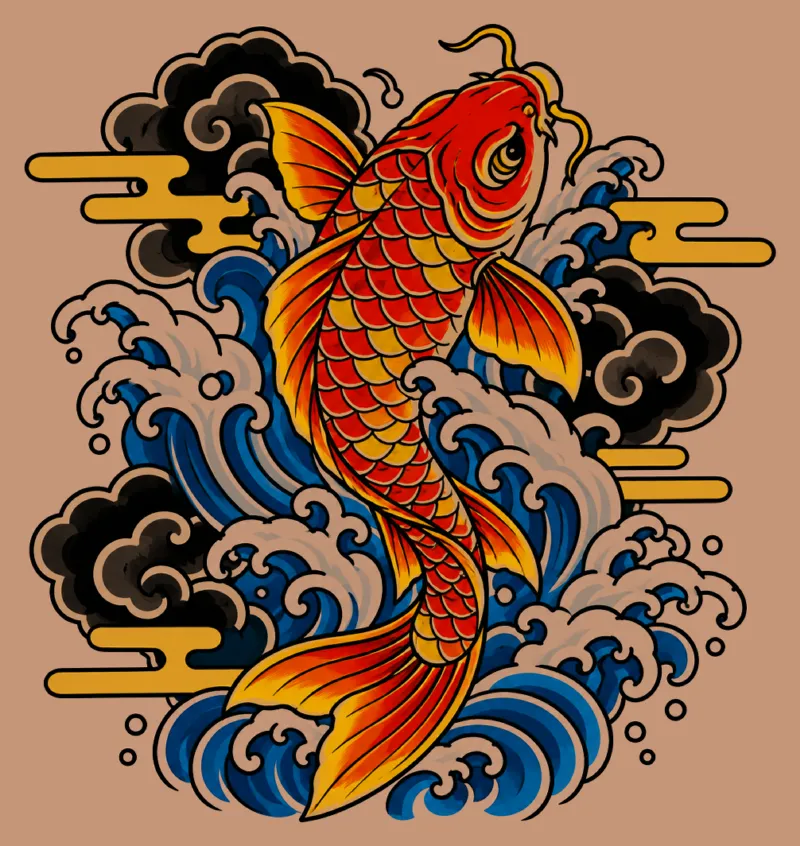
- Open the Tattoo Studio. Pick the body area you want to work on.
- Describe the tattoo. Open the AI card, write the subject and the style (for example traditional, blackwork or colour).
- Place it. Move, rotate and resize the design on the body, or generate another one.
- Export. Export the tattoo pack and test it on your server before players use it.
Good to know: The AI does not draw white ink, and a very busy prompt gives a busy tattoo: one clear subject works best.
This tool counts for the free daily try (Tattoo or Livery Studio).
AI backgrounds in the Plate Studio
The Plate Studio makes custom licence plate backgrounds for your server. With AI you describe a background, see it on the plate with the area where the game prints the letters, and export it.
- Open the Plate Studio. Turn on a plate style and see where the game prints the letters.
- Describe the background. Use the AI card to generate a background.
- Export. Export the resource, drop it in your server and check the plate in game.
Good to know: The game prints the plate number of each car on top of your picture, so the preview letters are only an example.
Crew Style: one look for the whole crew
Write one prompt and pick up to three colours. The AI paints a style board once, then every AI tool can reuse it, so your car, weapon and tattoos match.
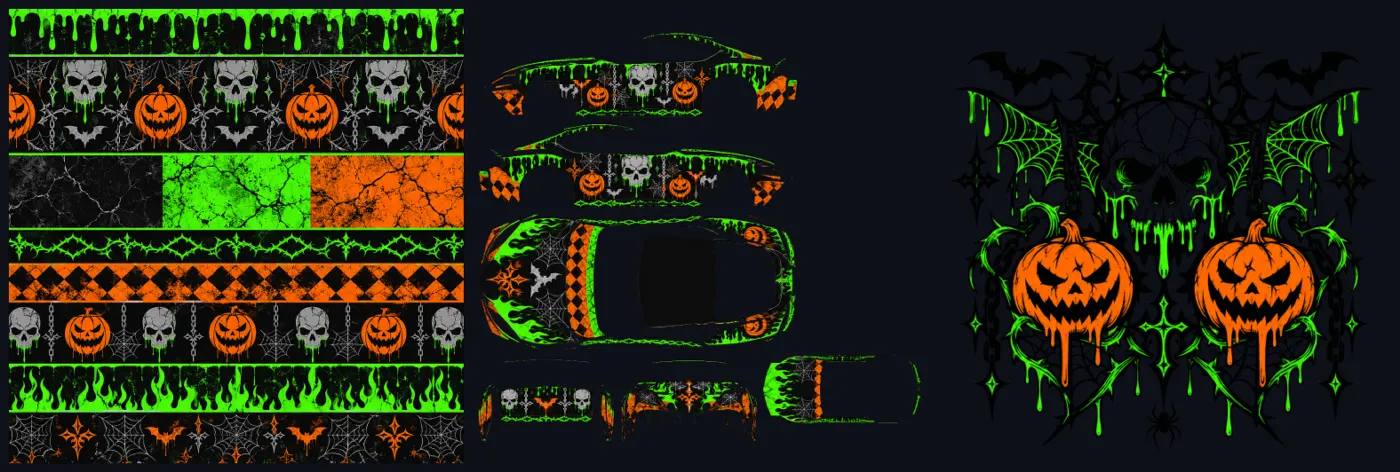
More examples
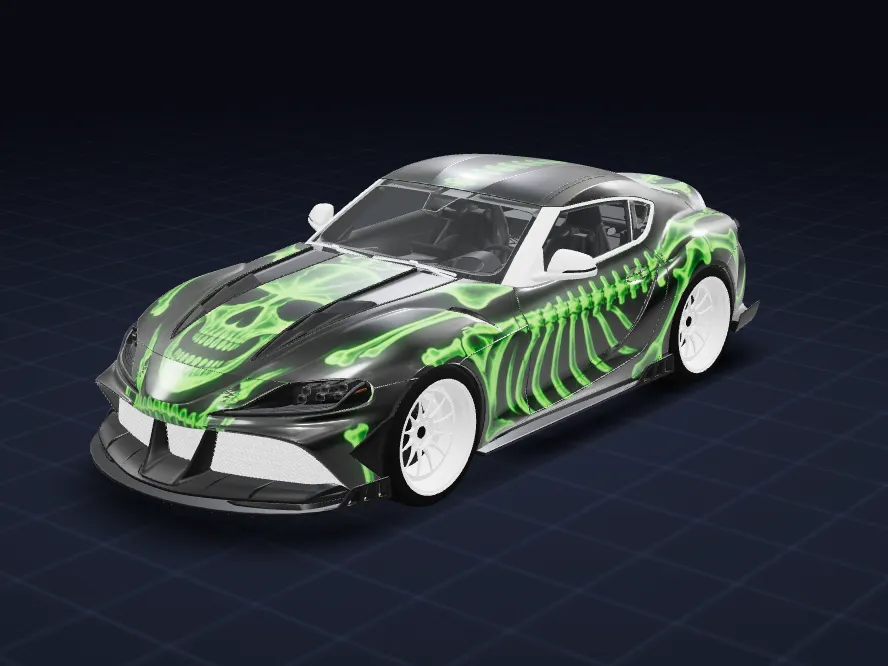
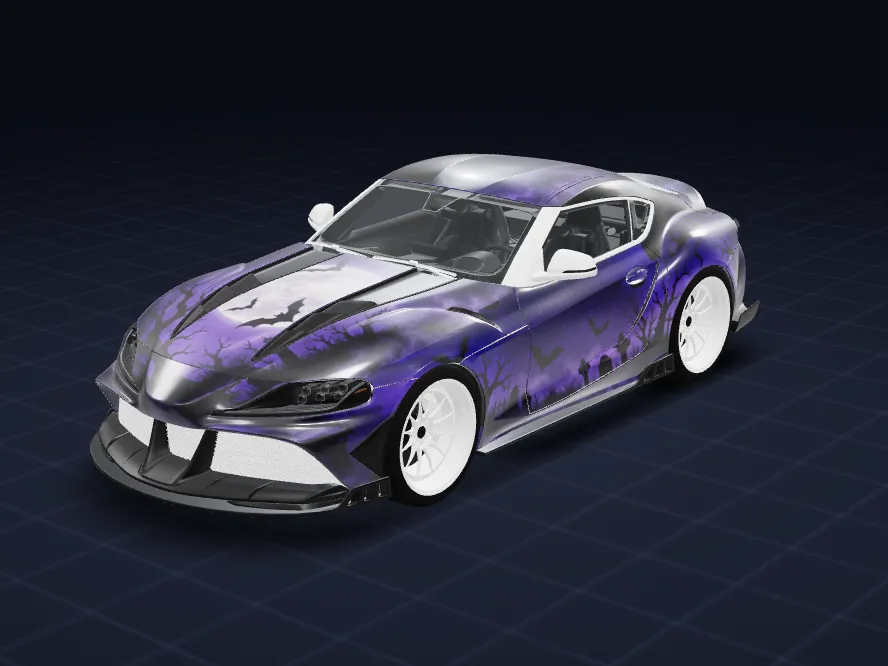
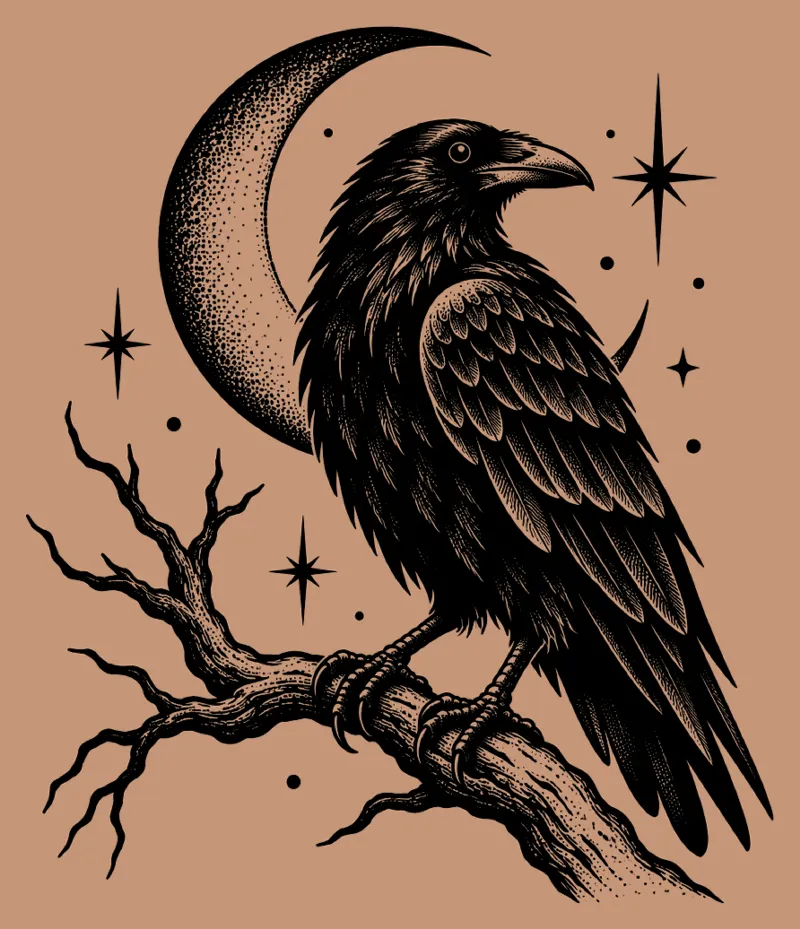
Liveries made with the AI in the Livery Studio, shown on the same demo car.
Rules for AI designs
- Do not ask for real brands, logos, real people or copyrighted characters. Make your own design.
- If you add a reference picture, it must be yours or you must have the right to use it. You confirm that before the AI runs.
- You need an account. AI designs come from a plan allowance or the free daily try.
- Review every design before you export, and test the export on a server before players use it.
Plans and free tries
AI designs are counted per week (UTC, the week starts on Monday) and shared by every tool with AI. Exports are separate: they use your Studio credits, or are free on Studio Unlimited within fair use.
- Studio Max ($24.99 a month): 12 AI designs per week, shared by every tool with AI.
- Studio Unlimited ($49.99 a month): 17 AI designs per week, shared by every tool with AI.
- Studio Pro ($9.99 a month): no AI designs included, you keep the free daily try and your monthly credits for exports.
1 free AI design a day in the Tattoo or Livery Studio, on top of any plan. Your Discord must be linked to your FiveMRides account, you must be a member of our Discord server, and your Discord account must be at least 30 days old. There is one free try per Discord account per day (UTC).
See every plan side by side on the Studio page, or read Studio plans explained and what each Studio tool costs in credits.
Questions about AI in the Studio
Can I make a FiveM livery with AI?
Yes. In the Livery Studio you describe the livery and the AI paints a sheet that follows the panels of your car. You see it on the 3D car, can mirror and edit it, and export a FiveM resource (1 credit per export). Test it on your server before players use it.
Can AI make a tattoo for FiveM?
Yes. In the Tattoo Studio you describe the tattoo, the AI draws it on a transparent background, and you place and resize it on the body before exporting a tattoo pack.
Can AI make a FiveM weapon skin?
Yes. In the Weapon Studio the AI paints the texture sheet you are on, or the whole weapon so every sheet matches. It repaints textures only, it does not change the weapon model. Export costs 1 credit.
Is there a free AI try?
Yes: 1 free AI design a day in the Tattoo or Livery Studio. Your Discord must be linked to your FiveMRides account, you must be a member of our Discord server, and your Discord account must be at least 30 days old. There is one free try per Discord account per day (UTC). It is on top of any plan.
How many AI designs do the plans include?
Per week: Studio Max 12 per week, Studio Unlimited 17 per week. The allowance is shared by every tool with AI, and Studio Pro has none included (only the free daily try). There is no unlimited AI: a daily cap also applies.
Do I need a subscription to use the AI?
No. A free daily try is open to members who meet the Discord rules, and plans with an AI allowance give you more designs.
Will the design look the same in game?
The 3D viewer shows the design on the model, but in game lighting, paint and other resources change how it looks. Always test the export on your server before players use it.
Can the AI copy a real brand or a real person?
No, and you should not ask for it. Do not use real brands, logos, real people or copyrighted characters in prompts or reference pictures.
What if the AI result is not what I wanted?
Change the prompt and generate again, mirror or edit the result with the normal tools, or paint over it by hand. A design is only exported when you choose to export it.